










If you're a founder, your job is to make business decisions, not spend hours understanding accounting reports.
One question I hear from business owners all the time is:
"Can I know how my business is doing without learning accounting?"
My answer is always yes.
I've worked with retailers, distributors, manufacturers, and service businesses where the owner never passed a journal entry, yet they checked their business numbers every single day.
The reason?
They used TallyPrime as a business dashboard rather than just accounting software.
Why do founders struggle with financial visibility?
In my experience working with scaling businesses, most founders face the exact same frustration: they are flying blind on daily numbers.
You ask your accountant for a quick update on pending client payments or cash reserves, and the response is usually, "Give me till tomorrow evening to compile the data." By the time you get the spreadsheet, the information is already out of date.
The core issue isn't a lack of data. Tally contains every transaction your business executes. The problem is that traditional accounting software screens are designed for data entry clerks and accountants, not decision-makers. You don't need raw journal entries; you need clear, actionable insights.
How does TallyPrime's 'Go To' feature give you instant answers?
What if finding a financial report was as effortless as searching for a movie on Google or Netflix? That is precisely what the Go To bar in TallyPrime offers.
Instead of navigating through multi-layered menus or memorizing hotkeys, you press Alt + G (or click the Go To search bar at the top of the screen) and type what you need in plain English.
- Want to see who owes you money? Type "Bills Receivable".
- Need to check bank balances? Type "Cash/Bank Book".
- Want a snapshot of profit? Type "Profit & Loss".
Gateway of Tally→ Go to (Alt+G)
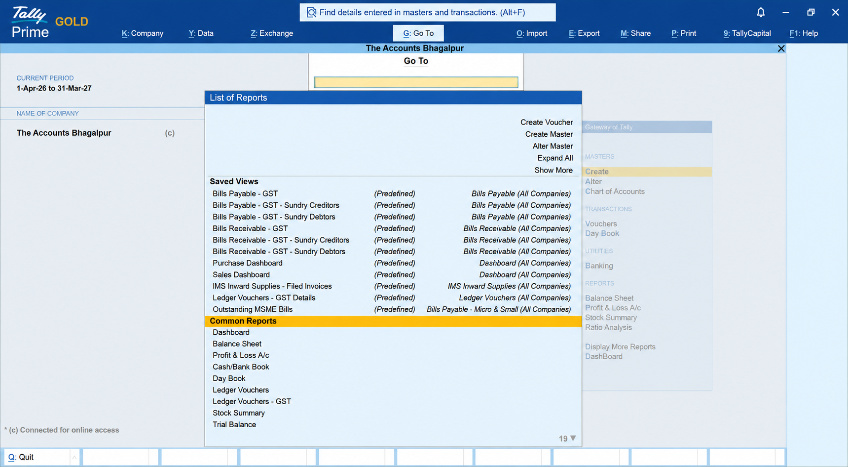
In one client meeting with a manufacturing startup owner, I showed him how to use Go To. He used to call his team three times a day just to confirm if client payments had cleared. Now, he simply hits Alt + G, searches for his customer's ledger, and views real-time balances in under five seconds.
Can you track cash position and receivables without opening voucher screens?
Yes, and you can do it visually. TallyPrime's built-in Dashboard consolidates key business metrics into an intuitive visual view, which you can customise based on your needs.
Instead of scanning endless rows of figures, you can customise tiles on your screen to display:
- Cash/bank flow: Live totals of available liquidity across all bank accounts.
- Receivables & payables: A clear split between what clients owe you and what you owe vendors.
- Sales & purchase trends: Graphs showing month-on-month growth or dips.
Gateway of Tally→ Go to (Alt+G)→Dashboard
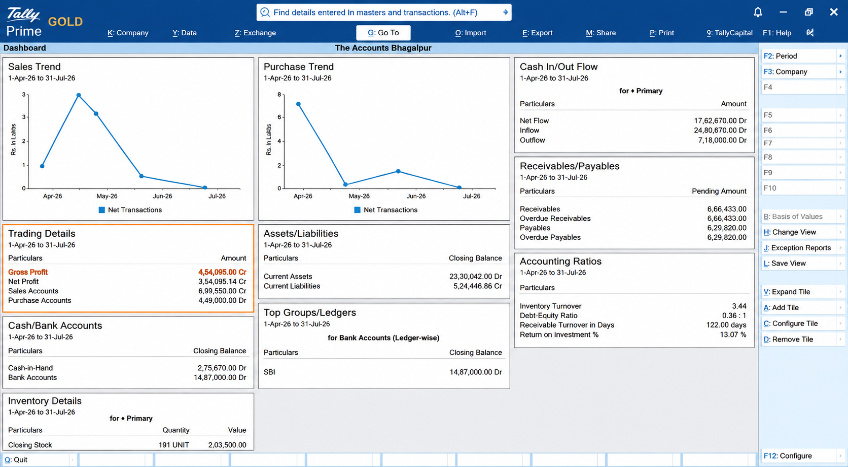
I’ve seen founders set up a customized dashboard view as their default screen. The moment they open Tally, they get an executive summary of the business's health without touching a single transaction entry.
How do cost centres reveal which projects are actually making money?
Revenue can be deceptive. A project that generates high revenue might be quietly losing money due to unmonitored vendor expenses or overheads.
This is where Cost Centre Reports become invaluable. A cost centre allows your accounting team to tag every income and expense entry to a specific department, project, location, or team.
As a founder, you don't need to do any tagging yourself. You simply pull up the Cost Centre Breakdown report to answer key operational questions:
- Which branch office operates with the highest profit margins?
- Is Project A or Project B yielding better returns after accounting for material costs?
- How much was spent on marketing events versus direct client acquisition this quarter?
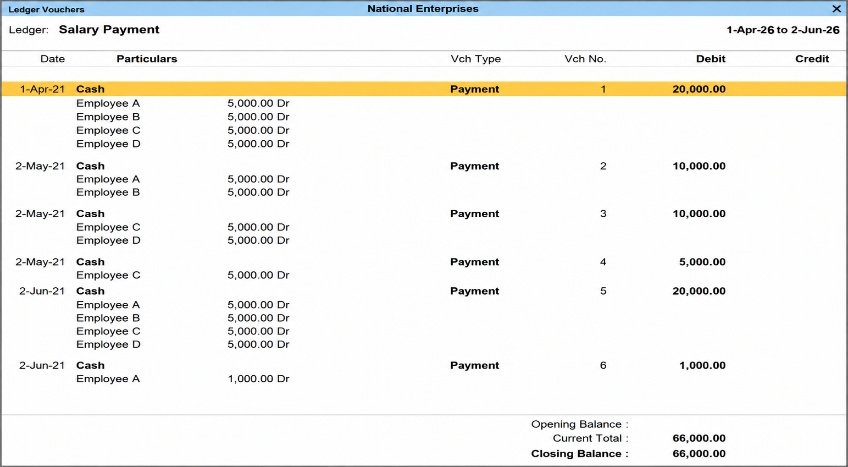
Read more on how to set up cost centres and profit centres for department-wise tracking
Real-world example: From spreadsheet chaos to real-time clarity
I worked with an IT services company generating ₹12 Crore in annual revenue. The founder was constantly anxious about cash flow despite running a profitable pipeline. Every Friday, his finance manager spent three hours compiling overdue invoice details into an Excel sheet.
We made two small adjustments:
- Configured an Overdue Receivables Dashboard in TallyPrime so payment delays were flagged immediately.
- Enabled Cost Centre Tagging for each client contract to track individual project profitability.
The result? The founder reduced average payment collection time by 14 days within the first month. He could spot pending payments on his screen instantly and reach out to clients directly before cash crunches occurred.
"Financial control isn't about entering data—it's about getting instant clarity to make confident decisions."
Conclusion
Accounting knowledge is valuable, but it shouldn't be a barrier to understanding your own business.
In my experience, the most successful founders don't spend hours reading accounting books.
They simply know which business numbers matter and check them consistently.
With TallyPrime's Go To search, real-time dashboards, and Cost Centre reports, founders can instantly access cash position, profitability, receivables, payables, and branch performance without navigating complex accounting screens or waiting for their accountant.
Business visibility should be immediate, simple, and available whenever you need it.
That's exactly what TallyPrime delivers.














