










Many business owners use TallyPrime to stay on top of their business every day. Even though they already have a CA or accountant managing the books, they still log in themselves to stay informed on what matters most to them as the person running the business.
The most common reason for business owners to use TallyPrime is to know what is happening in their business right now rather than waiting for their accountants to report. From outstanding dues and inventory positions, to cash flow and profitability, business owners get visibility early on through TallyPrime.
Using TallyPrime alongside your CA does not create overlap, it rather creates clarity. While the CA handles the accounting, you, as the owner, keep an eye on the business. This leads to quicker decisions and sharper conversations with your CA.
Let’s quickly understand why using TallyPrime is important for business owners who may or may not have a CA.
What a monthly summary by your CA doesn’t tell you
A monthly report prepared by your CA or accountant is accurate, but old. For example, when your CA sends you a summary on the 5th of the month, the data reflects what happened between the 1st and 31st of last month. But transactions being recorded in the first week of the current month, like a customer who stopped paying, a vendor payment that went out, or a product that sold out, are invisible to you until next month's report arrives.
Here’s what this lag can lead to for a business owner:
On collections
A customer who stopped paying on the 3rd of the month is already 30 days overdue before you find out. The window for an early, low-friction follow-up has passed. By the time the summary reaches you, the conversation has shifted from a gentle reminder to a difficult recovery.
On stock
An item that ran out in the second week of the month, has been sitting empty for 2 to 3 weeks before the next report will surface. In that time, your sales team has been either turning away orders or substituting with a lower-margin alternative, and you may be unaware about this.
On profitability
A month that feels busy can look very different once expenses and returns are accounted for. When you only see the P&L after the month ends, you lose the ability to take actions while the month is still in progress. When you receive the reports from your accountant, it is too late to act on what you're seeing.
TallyPrime records and reports on each aspect the moment a transaction happens. You can track outstanding receivables and payables, the stock level, the P&L, and more in real time.
The only question is whether you are checking it yourself in TallyPrime, or waiting for your CA to report it three weeks later.
Why business owners must use TallyPrime
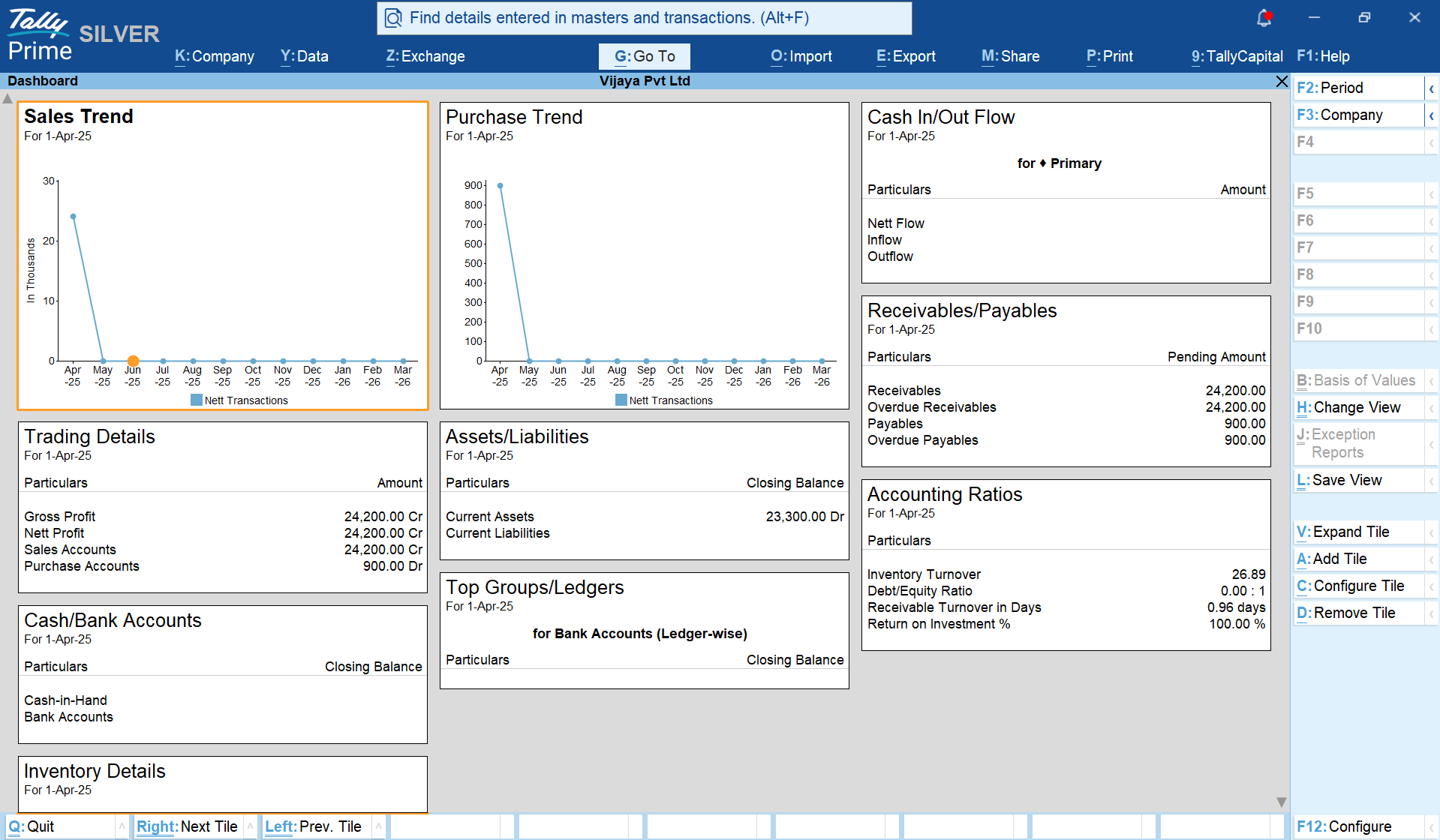
Let’s understand this with a situation most business owners will recognise:
- You have a CA or accountant who manages TallyPrime for your business
- They make entries on time, file GST, and manage the books properly
- At the end of the month, you get a summary with a P&L report and key numbers over a short call or meeting.
But what if you come across situations such as:
- A supplier calls about an overdue payment you didn't know was pending
- A customer places a repeat order and your sales team discovers the item has been out of stock for two weeks
- You sit down with your CA for a quarterly review and realise that the margins on one product category quietly eroded
But by the time the information reached you, the window to act had already closed. Such situations can arise at any time during the course of business, and you must always be prepared. With TallyPrime you can view all reports in real-time and be in control of your business.
3 important business decisions that require you to look at your data
There are several decisions in every business that your CA, accountant or your team cannot make for you. It’s because these decisions require owner-level judgment about relationships, risk, about where the business is going.
Making these decisions requires you to know your data well, instead of only hearing about it second-hand. These decisions include:
1. Whether to extend credit to a specific customer
Your CA can tell you that a customer has a balance outstanding but it is for you to decide to continue extending credit to that customer. This is because that decision will be based on the relationship, the order size, the history, and your business expertise to analyze the situation. To make that call, you need to see the customer's outstanding history directly; how much is owed, for how long, whether the pattern is getting better or worse.
In TallyPrime, the Outstanding Receivables report displays everything you need to know about such a customer. You can view them party-wise, amount-wise, or ageing-wise. The decision becomes clearer when you see the numbers yourself instead of someone summarising it for you.
2. Whether to reorder a product and how much
Reordering decisions are majorly based on:
- How fast the item is moving
- Whether sales are accelerating or slowing
- Stock available at each location
A product might show sufficient availability in the system, but if most of the units are in a godown two cities away, the situation becomes different from what the number alone suggests.
TallyPrime's stock movement report displays the quantity on hand, the velocity, location-wise breakdowns, and reorder level alerts that you can configure yourself. This is an operational judgment call that requires operational data easily available on TallyPrime.
3. Whether the business actually had a good month
There is a difference between knowing your profitability on the 2nd of the following month versus the 25th of the current one.
When you check the Profit & Loss report in TallyPrime towards the end of the month, you can still act: push a product, pull back a discretionary spend, make a pricing call. When you read the same information a month later, it is already too late.
Business owners who check their own P&L during the month make better decisions in real time. That is the advantage TallyPrime gives you when you are the one looking.
How a 10-minute weekly check in TallyPrime helps
Just a weekly review of your business performance in TallyPrime fundamentally changes your situational awareness as a business owner. Here is what a 10-minute weekly check looks like, and the insights you can get from it:
- Check the Outstanding Receivables (3 minutes): Open the Outstanding Receivables report and sort by ageing. Look for anything crossing 45 days or as per your time-limit. In most businesses, this surfaces one or two names every week that need a follow-up before they become a collections problem. This 3-minute check can prevent a 3-month chase.
Here’s how you can view outstanding receivables in TallyPrime:
- Check the Stock Summary (3 minutes): Look at fast-moving items. Are any running lower than they should be going into next week? Are there items that haven't moved in a while and are quietly tying up shelf space and capital? The stock summary check takes minutes and prevents the two most common inventory failures: stockouts on what's selling and dead stock on what isn't.
- Check the Profit & Loss (4 minutes): Look at the month-to-date P&L account. Is income tracking where you expected? Are there expense lines that look higher than usual? You are not really auditing the numbers, but just reading the direction. Is this month looking better or worse than last month at the same point?
Here's how you can check the P&L account in TallyPrime:
You can do these 3 important checks within 10 minutes from anywhere through TallyPrime's CloudAccess, if you are not at the office.
Most business owners who build this habit report the same thing: it takes less time, because they no longer react to surprises at the end of the month. TallyPrime enables business owners to be in control of their business.
Your CA's job gets better when you are informed
In a usual setting, the CA presents the numbers and the business owner receives them. The meeting covers what happened last month. Questions are basic: why did expenses go up, what is the net profit, when is the next filing.
When you as a business owner start viewing the reports in TallyPrime, you already have the numbers at your fingertips. You have seen the P&L, outstandings, and have noticed the pattern you want to discuss. In this case, the meeting with your CA starts with strategy. You ask questions like:
- Why did margin dip in this category?
- What are the tax implications of the investment I'm considering?
- Can we restructure this to be more efficient?
This shift happens when you are an informed participant in your own financial picture. Your CA's time is most valuable when it is spent on what requires the expertise of a CA: GST and TDS compliance, tax planning, financial structuring, audit preparation. When you are engaged with your own numbers, you free your CA to do exactly that. And you get more out of every conversation you have with them.
TallyPrime does not reduce the need for a CA. It makes the relationship with your CA more productive - for both of you.
The bottom line
There is a clear difference between your accounts being managed by a CA and your business being visible to you. Business owners use TallyPrime, understand their business better. They don’t wait for a monthly summary to know whether a customer is not paying, or if a product is running low, or if the month is going the way they hoped.
All this information is easily accessible in TallyPrime. It is updated the moment every transaction happens and does not require a finance background to read and understand the reports. All you need is ten minutes a week to check.
How to get started in TallyPrime - Quick checklist
- Log into TallyPrime, open the Dashboard, and spend five minutes seeing what's already visible
- Open Outstanding Receivables and sort by ageing. Look for anyone crossing 45 days
- Check the Stock Summary for your top fast-moving items
- Pull up the current month's Profit & Loss and compare it to last month at the same point
- Set up CloudAccess so you can check these reports from anywhere, not just the office














