










TallyPrime takes a business owner, a billing staff member, or an accountant from purchase to creating their first invoice about 12 minutes. That includes installation, activation, and basic setup. If you already understand how your business runs — what a sale is, what a purchase is, what stock means — you don't need accounting knowledge to get started. You only need about 12 minutes to create your first invoice. And that implies that TallyPrime is fairly easy to learn for any user.
This blog looks at what that 12 minutes actually involves, how the interface supports speed for non-accountants, and why the consistency built into TallyPrime means the time to get comfortable creating ledgers, vouchers, and customising reports — is closer to 30-60 minutes.
What non-accountant users can do in TallyPrime
A useful first step is to separate what TallyPrime can do in total from what non-accountant staff can do daily. TallyPrime is India's most trusted accounting and ERP software, but for a business owner, a billing staff, or a shop assistant, with no accounting knowledge, the daily workflow is much narrower:
- Create a sales invoice
- Record a purchase receipt or inward stock entry
- Record a payment received from a customer
- Check current stock levels
- Print or share an invoice via WhatsApp or email
- Viewing business reports
These tasks represent the majority of daily operations for most non-accountant users in SMEs. You don't require accounting knowledge or an understanding of journal entries, balance sheets, GST reconciliation logic, etc.
In TallyPrime, everyday tasks are organised in a simple menu and can be completed using a few keyboard steps. If you understand the business process but not the accounting theory behind it, you can still start performing these tasks accurately within minutes.
TallyPrime's navigation mirrors Excel, and why it matters
When staff say they are comfortable with Excel, they are basically used to a specific kind of familiarity:
- Tab to move between fields
- Enter to confirm
- Escape to go back
- Arrow keys to navigate
TallyPrime's keys and navigation work in a similar way. Here is what creating a sales invoice looks like step by step:
- Press F8 from the Gateway of Tally to open the Sales Voucher screen
- Tab through the date, party name, and reference number fields
- Enter the item name (TallyPrime autocompletes from your item master, just like Excel dropdowns)
- Enter quantity and rate (TallyPrime calculates the amount and GST automatically)
- Tab to the next row for the next item
- Press Ctrl+A to save the voucher
This is not new for someone who uses Excel frequently. The directional logic is identical. The autocomplete behaviour mirrors Excel's dropdown-from-list functionality. The row-based data entry is conceptually the same as filling in a spreadsheet.
But what's the difference between Excel and TallyPrime?
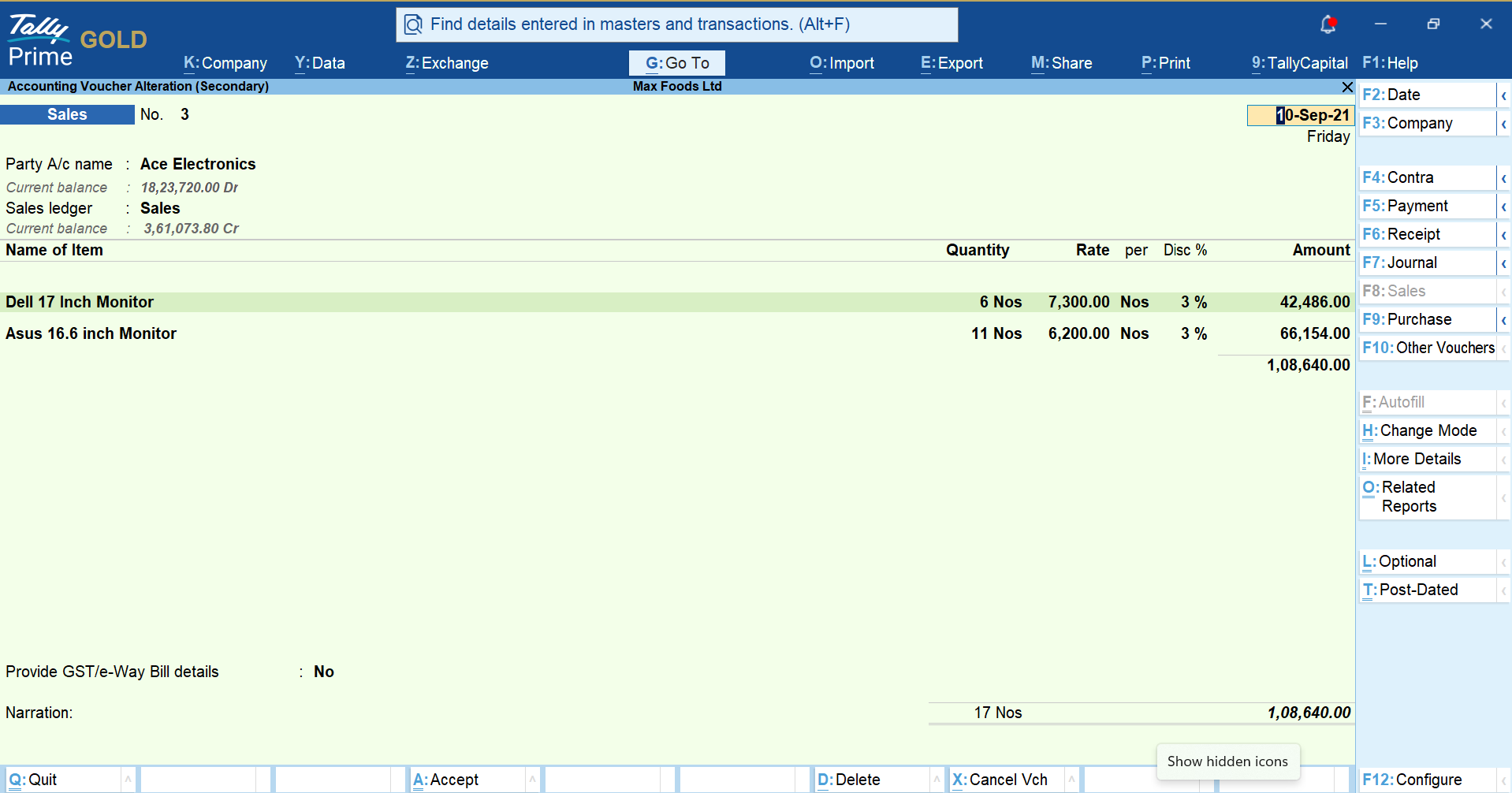
Unlike Excel, where you can only enter data, TallyPrime also does the computation automatically. The staff just enters the what — items, quantities, party name — TallyPrime handles the how — tax calculation, ledger posting, stock update, invoice formatting.
12 minutes to your first invoice
Here's the direct answer: from purchase to creating your first invoice, TallyPrime takes about 12 minutes for anyone who understands basic business terms — sale, purchase, stock, vouchers, payment. This covers installation, activation, and the minimum setup needed to bill a customer.
Detailed company setup which includes building out your full chart of accounts, configuring ledgers and masters for every product category, setting up multiple godowns or cost centres, can be done progressively, as your business needs it. You don't have to front-load that work before you can start billing.
Once you're past that first invoice, here's what deepens over time:
- 30 to 60 minutes: Comfortable creating ledgers and masters, entering vouchers for sales/purchase/receipts, and pulling basic reports — because the keys and navigation are the same across every screen
- 2 to 3 hours: Broader day-to-day tasks like recording inward stock entries, generating multiple report types, and customising invoice formats and report layouts to match how the business actually works
- As needed, over time: GST returns, payroll, multi-location inventory, bank reconciliation — features that exist for when you need them, not requirements to get started
A first invoice, minute by minute
Take a billing executive at a hardware distributor in Jaipur who is comfortable with WhatsApp and basic Excel, and has no accounting software background. Here's their actual path to a first invoice:
- Minutes 1-5: TallyPrime is purchased, installed and activated
- Minutes 5-8: Sets up company with basic details; Gateway of Tally opens; a quick look at the menu structure
- Minutes 8-12: Presses F8, tabs through party name and items to create a sales invoice, TallyPrime auto-calculates GST and totals, presses Ctrl+A to save and the invoice is created and ready to send on WhatsApp
From there, the next 30-60 minutes is where comfort builds: creating a couple of ledgers, recording a purchase entry, checking stock for an item. Because TallyPrime uses the same keys (Ctrl+A, Esc, Enter) and the same navigation logic on every screen, each new task reinforces the last instead of requiring new learning. By the end of that first hour, this executive is creating invoices like they have been using TallyPrime for quite some time.
How working in TallyPrime brings speed
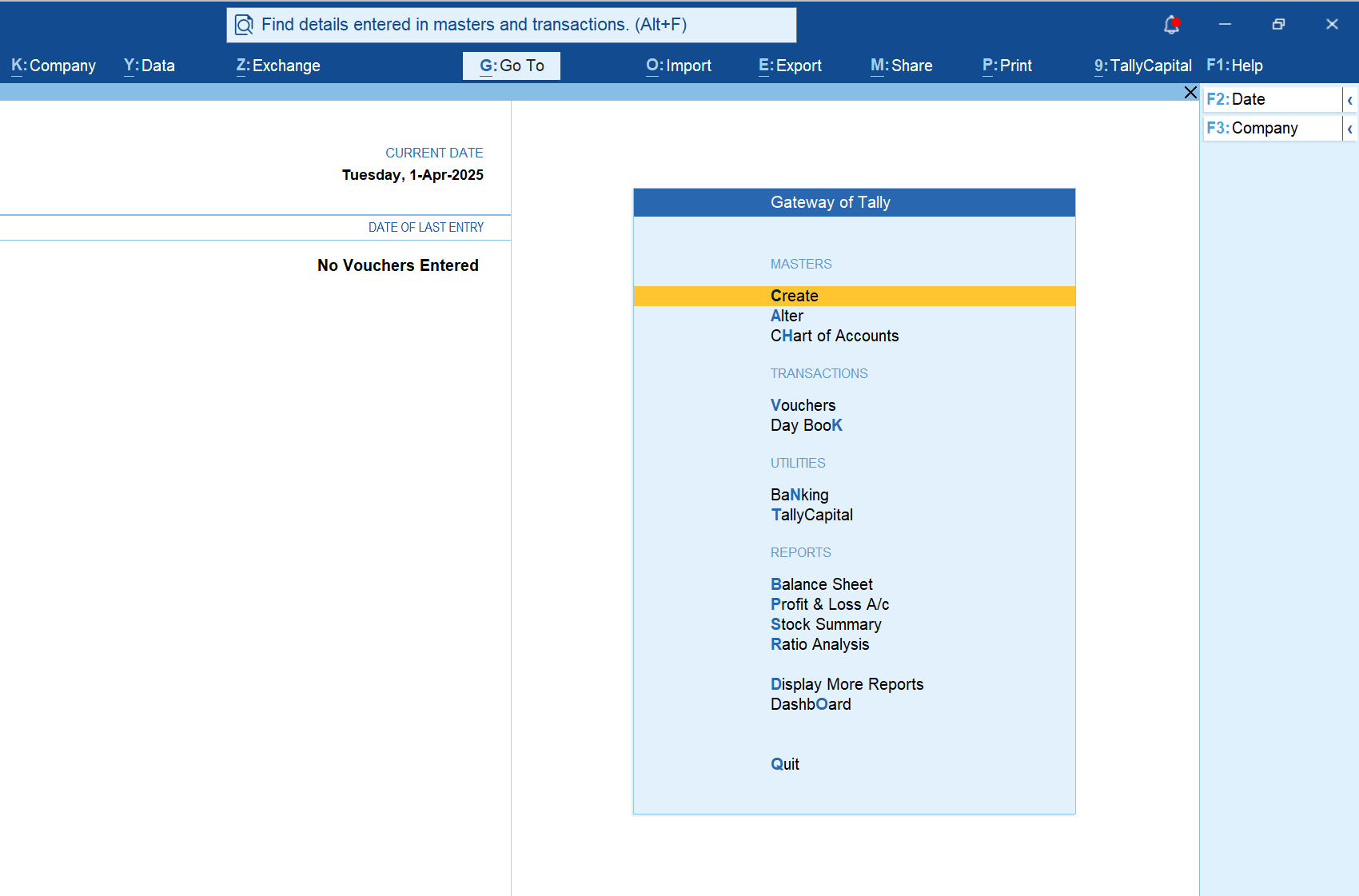
The speed is a deliberate design choice. TallyPrime uses the same keyboard shortcuts and the same screen navigation everywhere:
- F8 for sales, F9 for purchase, F6 for receipt — consistent across the system
- Ctrl+A to save, Esc to go back, Enter to confirm or drill down — the same on every voucher and report screen
- The side and bottom bars keep the same function no matter which screen you're on
This means TallyPrime isn't asking users to transfer skills from one task to a completely different one. It's the same handful of actions, applied to different business activities. That's why the 12-minute first invoice and the 30-60-minute comfort window are consistent with how the product is actually built.
For business owners and staff already familiar with Excel, the logic translates directly — Tab to move, Enter to confirm, Esc to go back, arrow keys to navigate. The autocomplete on item entry works the same way as Excel's dropdown lists. None of this requires accounting theory; it requires understanding the business action you're recording. And this consistency in navigation, brings speed while working in TallyPrime.
Where to learn more about TallyPrime
- Tally Partners: Authorised local partners available for all TallyPrime users, on hand to support onboarding in your city
- Learning Hub: Short task-specific videos on invoicing, inventory, GST, banking, and payroll
- Instant Demo: Guided walkthroughs of specific features
- YouTube: TallyPrime tutorials from basic to advanced
Is TallyPrime right for your business and team?
TallyPrime is particularly well-suited for SMEs where:
- Billing and stock entry are handled by non-accountant staff
- The business runs on high transaction volumes where keyboard speed matters
- The owner or accountant needs accurate, real-time financial data without manually reconciling multiple systems
- GST compliance, including invoicing, e-way bills, and return filing, needs to happen within the same platform as daily operations
The bottom line
TallyPrime gets a business owner or their staff from purchase to a working invoice in about 12 minutes, and to genuine comfort across day-to-day tasks within an hour. That speed isn't an exception — it's built into how consistently the software works across every screen. The depth is there for those who need GST filing, payroll, or multi-location inventory, but it never stands between a new user and getting their first invoice out the door.














