










The secret to extending TallyPrime without writing a single line of code lies in "Add-ons" found within the TallyShop marketplace.
In my 20 years of working across the manufacturing and ecommerce sectors, I’ve seen many businesses fall into the trap of believing they must hire a specialized developer every time they need a specific report or a niche feature. This misconception leads to significant "pain points", high development costs, long wait times, and the constant fear of "breaking" core accounting during a software update. In reality, the functionality you need likely already exists, built by professionals who ensure it works seamlessly with your existing data.
Why choose pre-built add-ons over custom development?
Choosing a pre-built Add-on from the TallyShop offers several distinct advantages over traditional custom TDL (Tally Definition Language) development:
- Cost efficiency: No need for expensive, one-off coding; you pay a fraction of the cost for a professional, ready-made solution.
- Immediate speed: Enjoy instant download and activation, compared to the weeks or months required for custom development and debugging cycles.
- Expert reliability: These tools are built by authorized Tally Partners and are rigorously tested. Unlike "freelance" TDL scripts that often crash during a Tally version upgrade (such as moving to Release 4.0), certified Add-ons are "future-proofed" for stability.
- Trial options: Most solutions include a "Try" mode, allowing you to evaluate the software's effectiveness with your own data for a partner-defined period before purchasing.
How do you find these "hidden" tools?
Finding the right solution within the TallyShop is straightforward if you know the professional shortcuts:
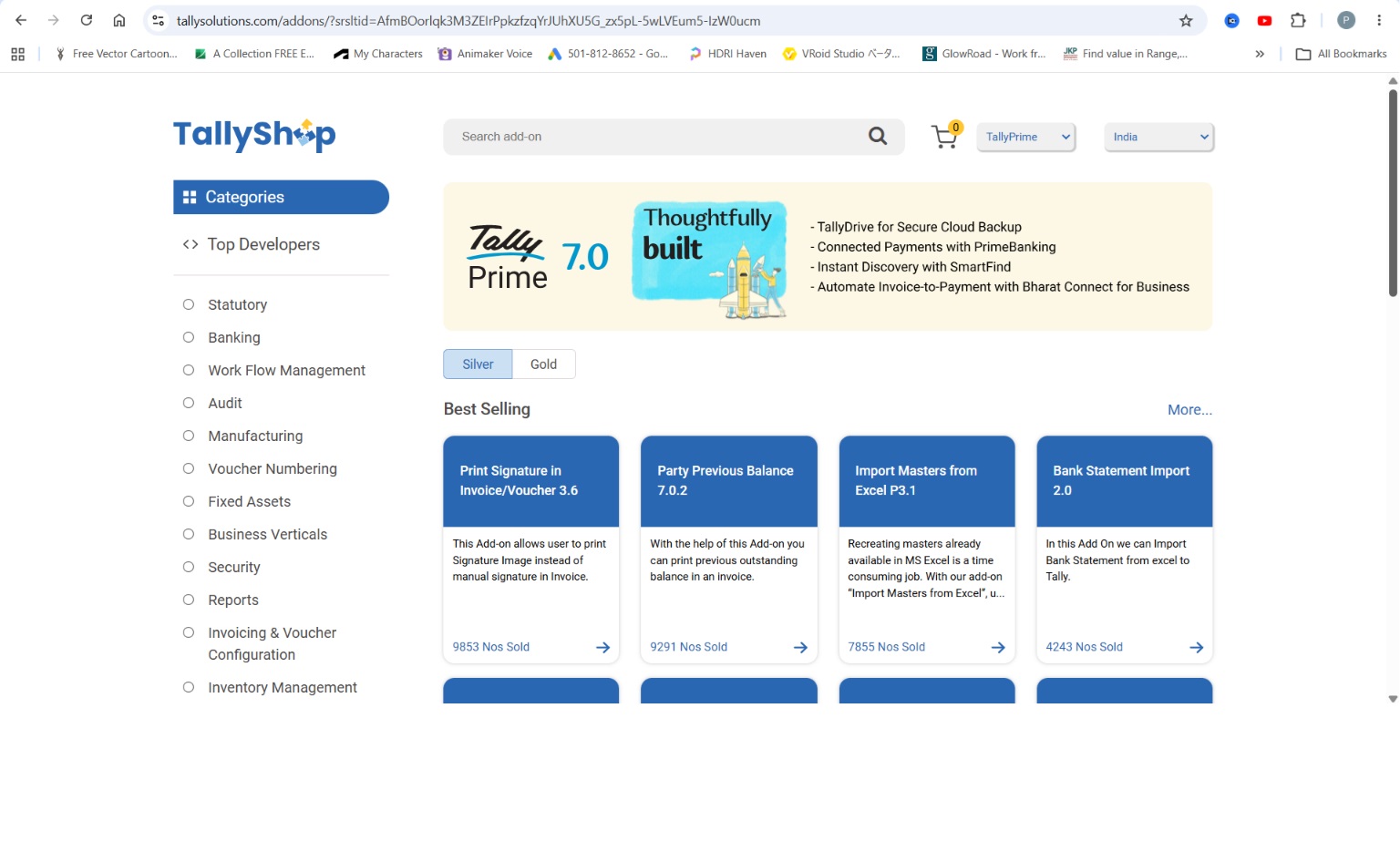
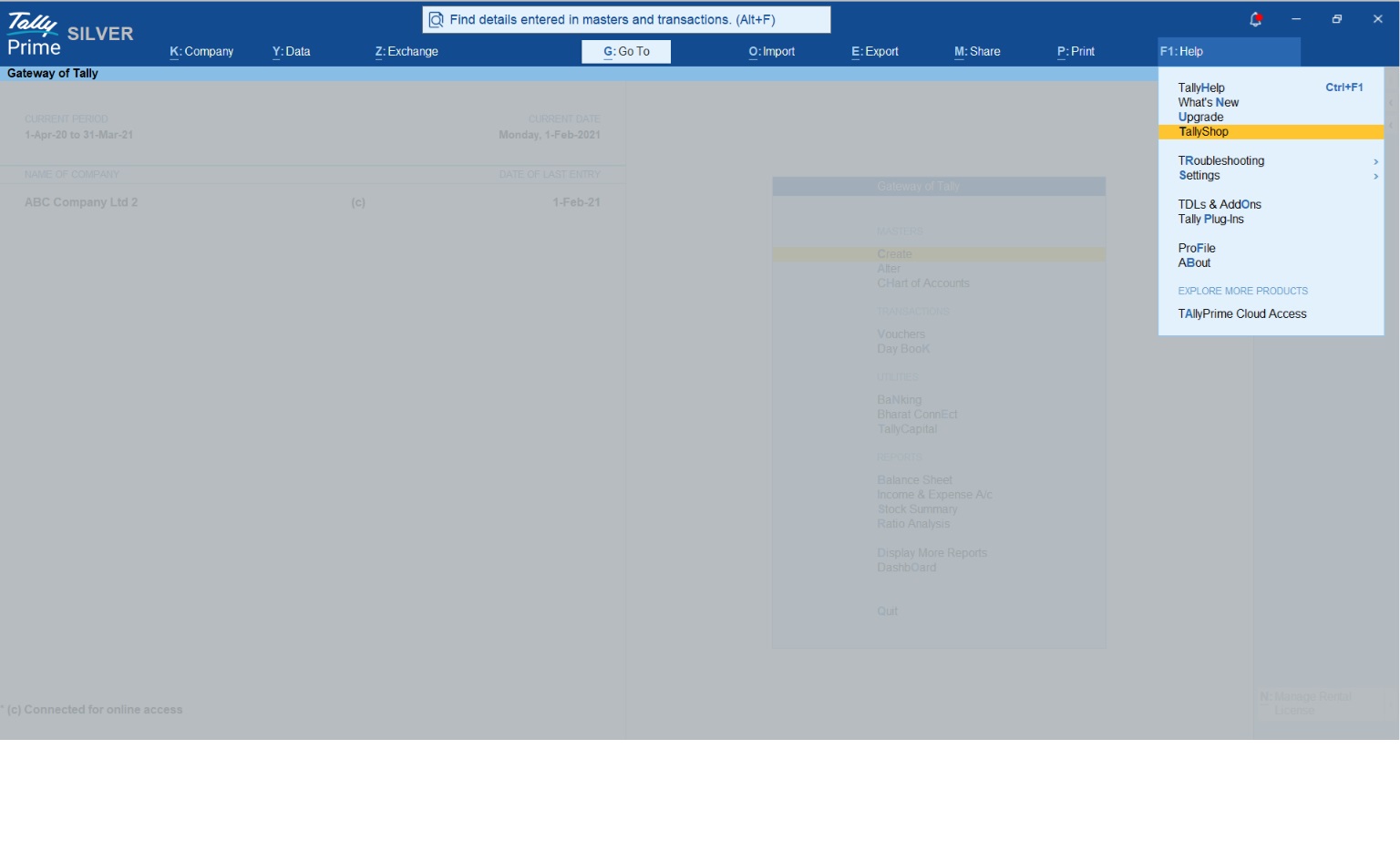
- Access the shop: From the Gateway of Tally, use the F1-Help shortcut to open the TallyShop marketplace directly.
- Search efficiently: Use the "Search" field at the top. Note that you must enter a minimum of 3 characters to trigger a search.
- Browse categories: Once you are inside the Shop interface, browse categories. This allows you to filter tools by industry-specific needs (like Pharma or Retail) or module-specific enhancements (like Inventory or Security).
- Identify quality: Focus on the "Top Developers" and "Best Sellers" sections. These areas highlight authors with proven track records and high sales counts, ensuring you are investing in quality-tested solutions.
Also Read: How TallyPrime Works for Multi-Location Inventory with Batch and Expiry Tracking
A real-world example: The "batch wise stock report"
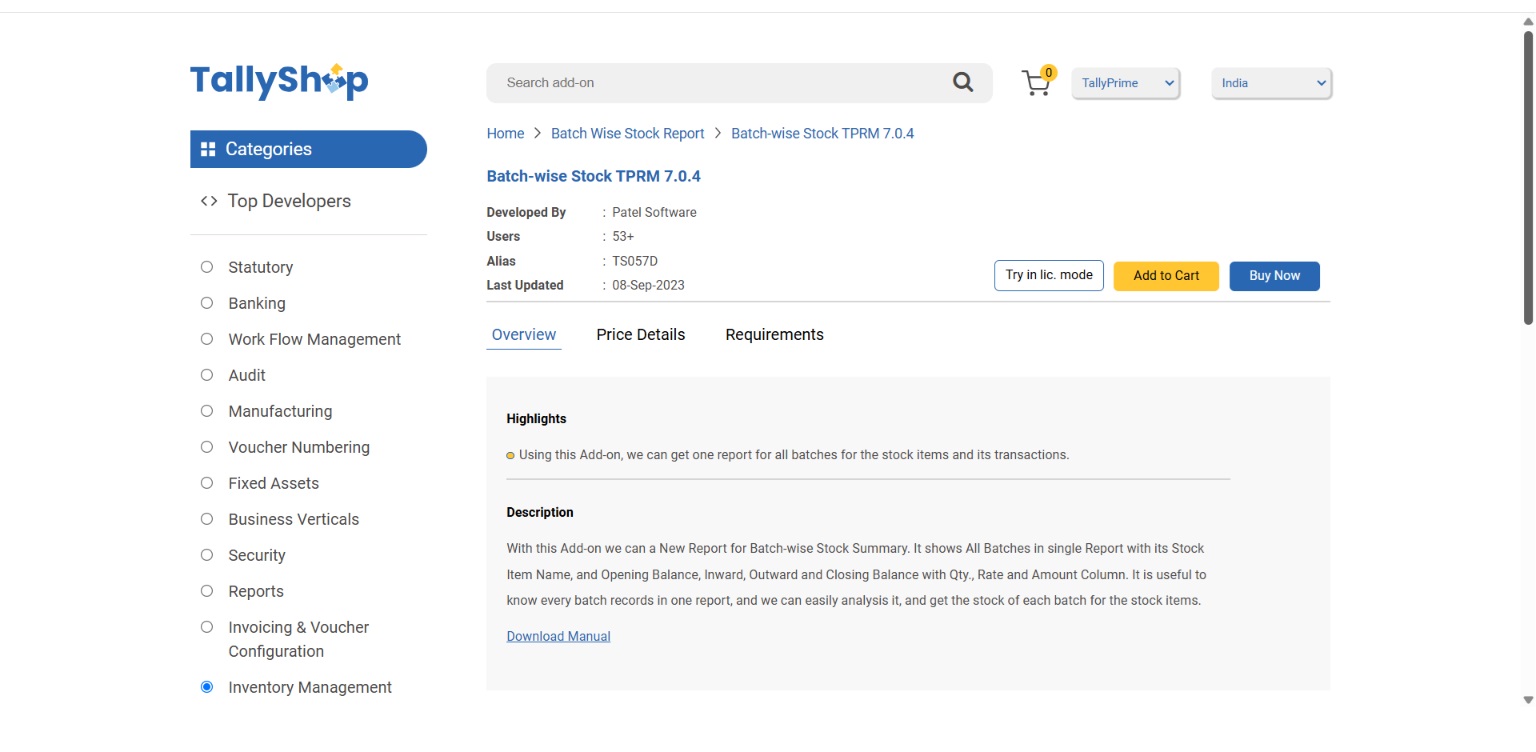
To see this in action, let’s look at a common requirement in the pharmaceutical and manufacturing sectors. Businesses often need to see every batch record in a single consolidated report to track expiry dates or stock movements. Instead of commissioning a custom coder, an Ahmedabad-based authorized partner, Patel Software, provides a ready-to-use "Batch Wise Stock Report" Add-on.
This Add-on provides a comprehensive view of stock items, including Opening Balance, Inward, Outward, and Closing Balance for every batch.
- Report structure: The basic report provides a clean, immediate breakdown of Stock Item Names and Batch Names alongside their respective Closing Balances.
- Comprehensive transaction flows: By opening the F12: Configuration menu and setting all options to "Yes", the report expands into a full flow analysis. This reveals the complete journey of a batch: from Opening Balance through every Inward and Outward movement to the final Closing Balance.
How simple is the setup?
Activating an Add-on requires no technical expertise. Use this 3-step checklist to get started:
- Update Your License: Go to F1: Help > Settings > License > Manage License and press F5: Update. Note: If you are a multi-site user, you must first activate the Add-on via the Control Center on the Tally Portal (Website) under "Manage Account."
- Activate the Feature: Navigate to F1: Help > TDL & Add-On > F6: Add-On Features or F4 (Manage Local TDLs). Locate your new Add-on (e.g., "Enable Batch Wise Stock Summary?") and set it to "Yes".
- Access the Report: The new feature will appear directly on your Gateway of Tally (e.g., as a new "Batch Stock Summary" menu item).
Batchwise Stock Report TallyPrime Addon
The pro-accounting perspective: Practical takeaways
From my two decades in accounting automation, here are my non-negotiable tips for managing TallyPrime Add-ons:
- Verify compatibility: Ensure the Add-on is compatible with your specific TallyPrime release (e.g., Release 7.0).
- Backup is mandatory: Always take a complete company data backup before activating any new Add-on to protect your financial integrity.
- Evaluate support channels: Look for developers who provide clear support emails and offer at least one year of updates. Professional support is what saves you during a critical audit or tax filing.
Conclusion & actionable checklist
You don't need a coder to make TallyPrime work harder for you. The Tally ecosystem is designed to be extensible through pre-built solutions that are affordable, reliable, and easy to deploy.
Your next steps:
- Identify your biggest manual reporting headache or operational bottleneck.
- Press F1-Help > TallyShop in TallyPrime to browse the TallyShop.
- Search for keywords related to your industry (e.g., "Pharma," "Jewellery," "Batch").
- Use the "Try" feature to evaluate the Add-on with your data before you buy.
"Customization isn't about writing new code; it's about unlocking the right tools already available in the Tally ecosystem."














