










The "Manual Entry" headache
In my 20 years of experience helping Indian manufacturing units, automobile dealerships, and e-commerce giants transition to digital workflows, I’ve found that manual bank entry is the single greatest drain on productivity. TallyPrime’s banking integration solves this by allowing you to import digital statements and process payments directly, reducing reconciliation time by up to 90%.
Whether you are an automobile dealer managing hundreds of spare part vendor payments or an e-commerce entity handling thousands of customer refunds, the "reconciliation nightmare" is real. Manual entry isn't just slow; it leads to mismatched Instrument Details and Bank Allocations that can take days to untangle during an audit.
How does connected banking change your daily workflow?
Connected Banking in TallyPrime creates a secure bridge between your business data and the banking ecosystem. In TallyPrime, this functions in two distinct ways:
- Online (Connected Banking): Currently supported for Axis, Kotak, SBI and ICICI, this allows you to check bank balances in real-time and send payment directly from TallyPrime.
- Offline (File-Based): For other major banks, you download statement files and upload them to your Tally. This automatically updates the "Successful" or "Unsuccessful" status of your vouchers without you ever having to manually verify each transaction on the bank portal.
Can you really reconcile your bank statement in minutes?
Auto-Bank Reconciliation (Auto-BRS) uses a secure handshake between Tally.NET and your bank's server to match entries. This feature requires a valid TSS (Tally Software Services) subscription.
While most Indian banks provide statements in Excel or CSV formats, institutions like Corporation Bank, DBS, and Federal Bank also support MT940, a high-level international standard for automated systems.
The 4-step auto-BRS workflow:
- Download Statement: Obtain your statement from the bank portal (Excel, CSV, Delimited, or MT940).
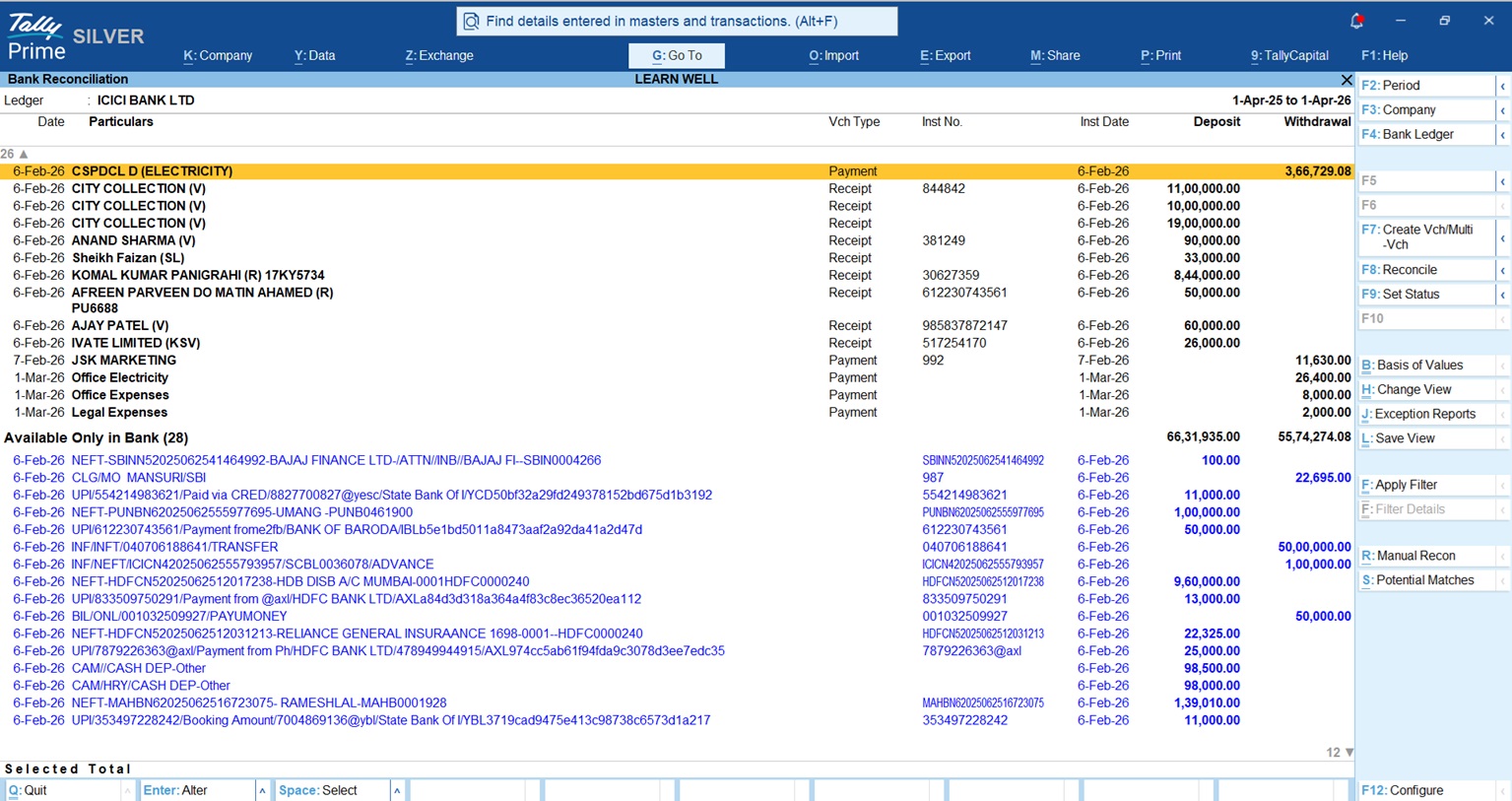
- Import into Tally: Navigate to the Import tab > Bank Statement > Bank Import Statement screen and select your file.
- Auto-Match: Tally matches entries based on amounts and Instrument Details, automatically filling the "Bank Date."
- Reconcile Unlinked Entries: Items like bank charges or interest appear under "Amount Not Reflected in Company Books." You can create new vouchers for these directly from this screen.
Here's How to Track Receivables & Send Payment Reminders in TallyPrime
Bulk vendor payments: The SBI connected banking workflow
For high-volume sectors like automobile dealerships, paying 50+ vendors individually is a massive bottleneck. While earlier methods required exporting files and manually uploading them to the bank portal, TallyPrime’s latest Connected Banking feature brings the bank directly inside your software.
For State Bank of India (SBI) users, the API integration eliminates manual file handling completely. Here is the modern, seamless workflow:
- Verify & initiate: Select your bulk payment vouchers. TallyPrime allows you to check your real-time SBI bank balance on the same screen to ensure sufficient funds before processing.
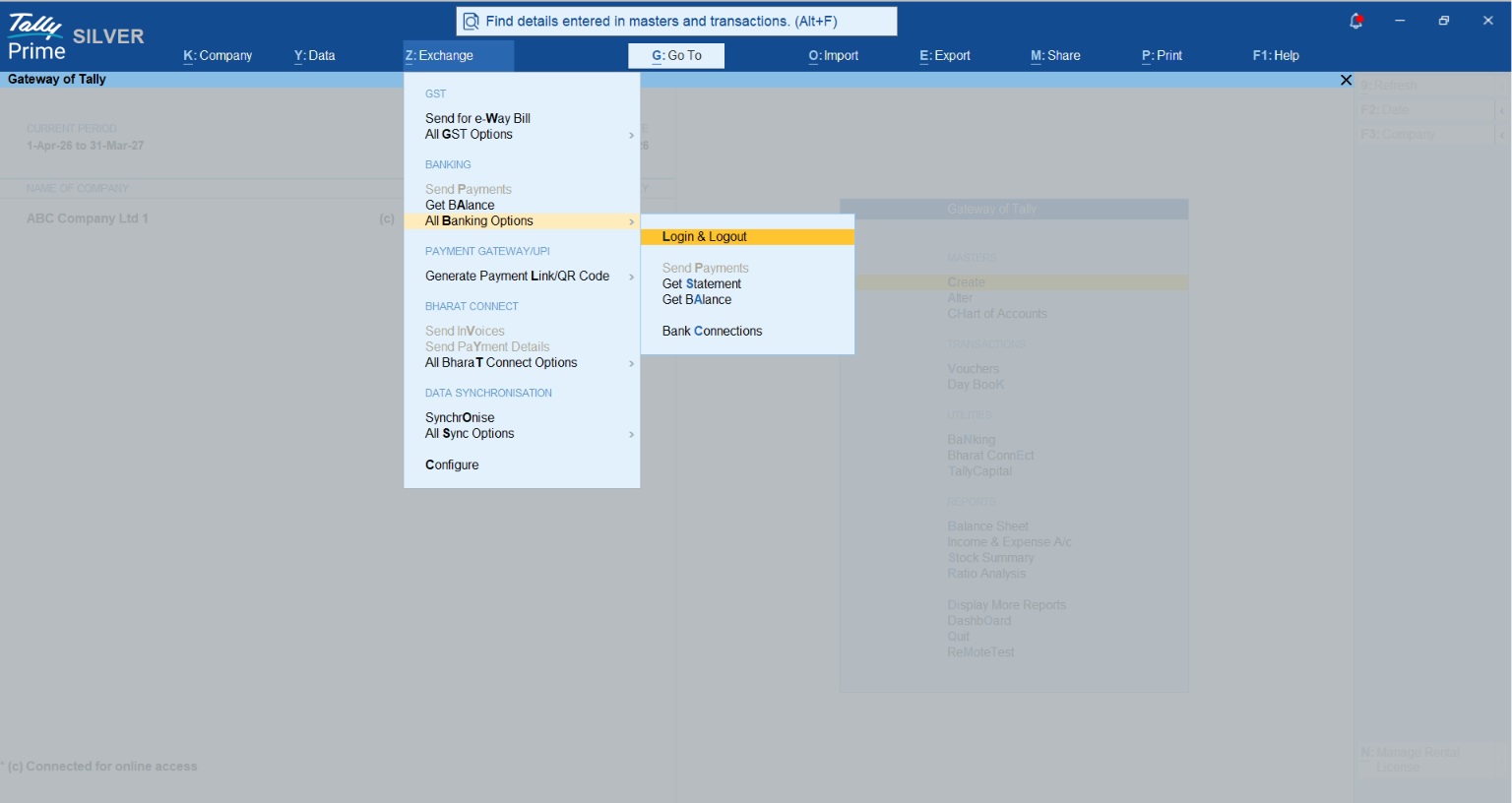
- Direct push (Alt+Z): Instead of generating a "TALLYPAY" file, go to Alt+Z (Exchange) > Send Payments. Tally securely connects to SBI via API.
- OTP authentication (maker): Press 'Send' and enter the secure OTP prompted within Tally. The bulk payment instructions are instantly pushed to the SBI server.
- Authorize (checker): The authorized checker logs into the SBI portal to review and approve the queued payments, maintaining your organization's strict security hierarchy.
- Auto-sync & reconcile: No more downloading reverse MIS files. Simply refresh the e-Payments report in Tally to fetch the real-time status of all transactions. Tally automatically updates voucher statuses and instantly reconciles them.
Real-world example: From midnight entries to real-time accuracy
I recently worked with Vikas, an accountant for a busy Raipur-based auto parts distributor managing 500+ monthly bank entries across three different bank accounts. Vikas was working until midnight, manually typing narrations and amounts, often missing typos that made reconciliation impossible.
By switching to TallyPrime’s bank statement import, Vikas now handles the same volume in under an hour. He imports the Excel statements, Tally handles the mapping, and duplication errors have vanished. His productivity has doubled, allowing him to focus on GST compliance and cash flow analysis instead of data entry.
Is it secure? Controlling access to your money
Security is the primary concern for any business owner. TallyPrime uses Security Control to manage access to sensitive Beneficiary Details.
Through User Roles, an owner can allow a data entry operator to view the e-payments report for reconciliation while strictly forbidding them from exporting payment instructions. Only a senior accountant or the owner, acting as the "Checker" has the rights to generate the final file for the bank, ensuring your funds remain protected.
When connecting your live bank account to TallyPrime, TallyPrime’s Connected Banking does not bypass your bank's security, it reinforces it with:
- OTP verification for every payment: Connecting your bank doesn't give Tally an open chequebook. For every single payment or bulk batch initiated from TallyPrime, an OTP is sent directly to the authorized registered mobile number. The transaction cannot leave Tally without this verification.
- Bank-grade encryption: The API integration between TallyPrime and connected banks like, SBI utilizes highly secure, encrypted channels. Tally ensures that only genuine, authorized users can establish this connection, maintaining a safe and predictable banking experience every time.
In short, Connected Banking gives your accounts team the convenience of automated data entry, while keeping the absolute final control of the funds securely in your hands.
Troubleshooting: Common banking errors
Even the best systems encounter hiccups. Here is how to handle them:
|
Error Code |
Potential Cause |
Recommended Action |
|
31001 |
Bank server timeout. |
Wait and re-send instructions. |
|
41003 / 41006 |
No internet connectivity. |
Check your LAN cable and wall socket connection. |
|
40001 / 40002 |
Capsule files missing/corrupted. |
Internal technical error; contact Tally Solutions. |
|
Invalid A/c. |
Ledger mismatch. |
Alter the Bank Ledger and provide the correct account details and bank name. |
Pro Tip: For Connected Banking and real-time synchronization to work flawlessly, ensure your TSS (Tally Software Services) subscription is active. An expired TSS is a hidden cause for many connectivity errors!
Collecting payments faster: QR codes and links
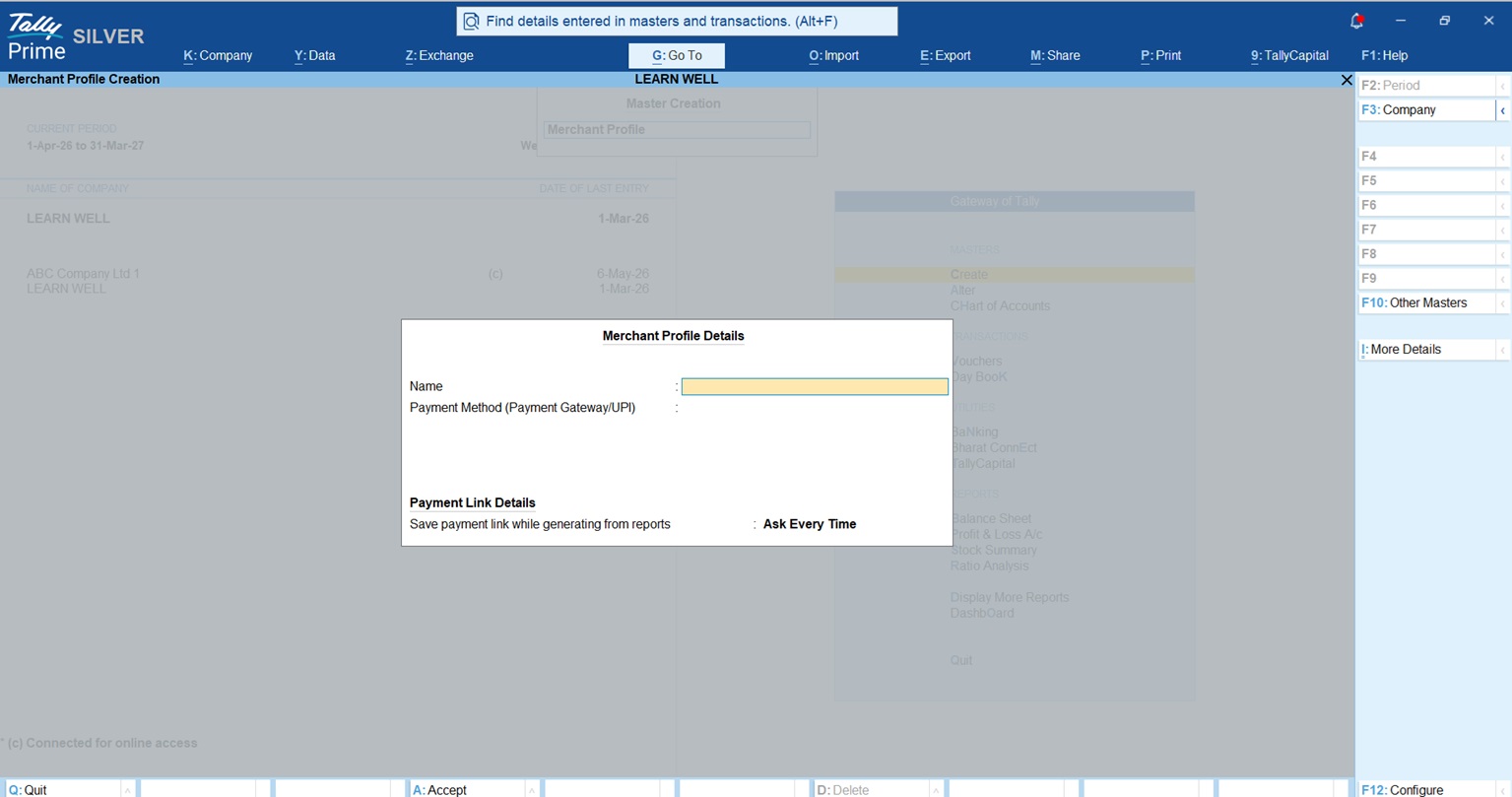
TallyPrime isn't just about paying vendors; it also drastically accelerates your accounts receivable. By integrating directly with Payment Gateways like PayU or Razorpay, you can generate and share payment links or QR codes instantly.
Here is how Tally streamlines your payment collection:
- Dynamic QR codes on invoices: You do not need to generate links separately. TallyPrime can automatically embed a dynamic QR code directly onto your printed or emailed Sales Invoices. Your customer simply scans the bill to pay.
- Secure link generation (OTP verified): To ensure security when connecting your gateway, Tally utilizes an OTP system. For PayU, it requires a 4-digit OTP (valid for 15 minutes), while Razorpay uses a 6-digit OTP (valid for 5 minutes).
- Higher limits & extended validity: Unlike standard UPI which is capped at ₹1 Lakh per day, Payment Gateways allow for much larger ticket sizes, ideal for wholesale or automotive billing. Furthermore, generated payment links remain valid for 6 months (Razorpay) or up to 1 year (PayU), giving customers ample time to process payments.
- Flexible partial payments: If you have allowed it during setup, customers can use the same link to make a partial payment. The link intelligently remains active and automatically adjusts to show the pending balance until the full invoice amount is cleared.
Conclusion: Your go-digital checklist
In the 2026 business landscape, manual entry is an expensive relic. Automation is the only way to maintain the speed and accuracy required for modern business, GST, and e-invoicing compliance.
Actionable steps to start today:
- Verify TSS: Ensure your Tally Software Services (TSS) is active to enable the secure, real-time handshake with bank servers.
- Clean your masters: Update all Company and Party Bank Ledgers with 100% correct Account Numbers, IFSC codes, and Beneficiary Details to avoid API rejections.
- Set portal rights: Enable clear "Maker/Checker" rights on your corporate bank portal to mirror your organization's security and approval hierarchy.
- Activate API integration: Instead of relying on the old offline formats, log in to your SBI Business portal to register for Connected Banking, for direct integration with TallyPrime.
"Automation isn't just an upgrade; it's the only way to stay competitive in a high-speed business environment."














