










When multiple instances of the same application run concurrently on a single system, they must share limited CPU resources. This phenomenon is known as CPU sharing. It becomes particularly critical when CPU capacity is saturated, leading to performance degradation & increased latency
Scenario: Multiple instances of the same application
Test infra
System: 1 Core 2 Logical Processor.
OS Type: Windows
Application Type: Single threaded.
Data: Independent data sets
Operation Type: Read operations (likely I/O + CPU mixed)
Test-1 (Single instance - Standalone)
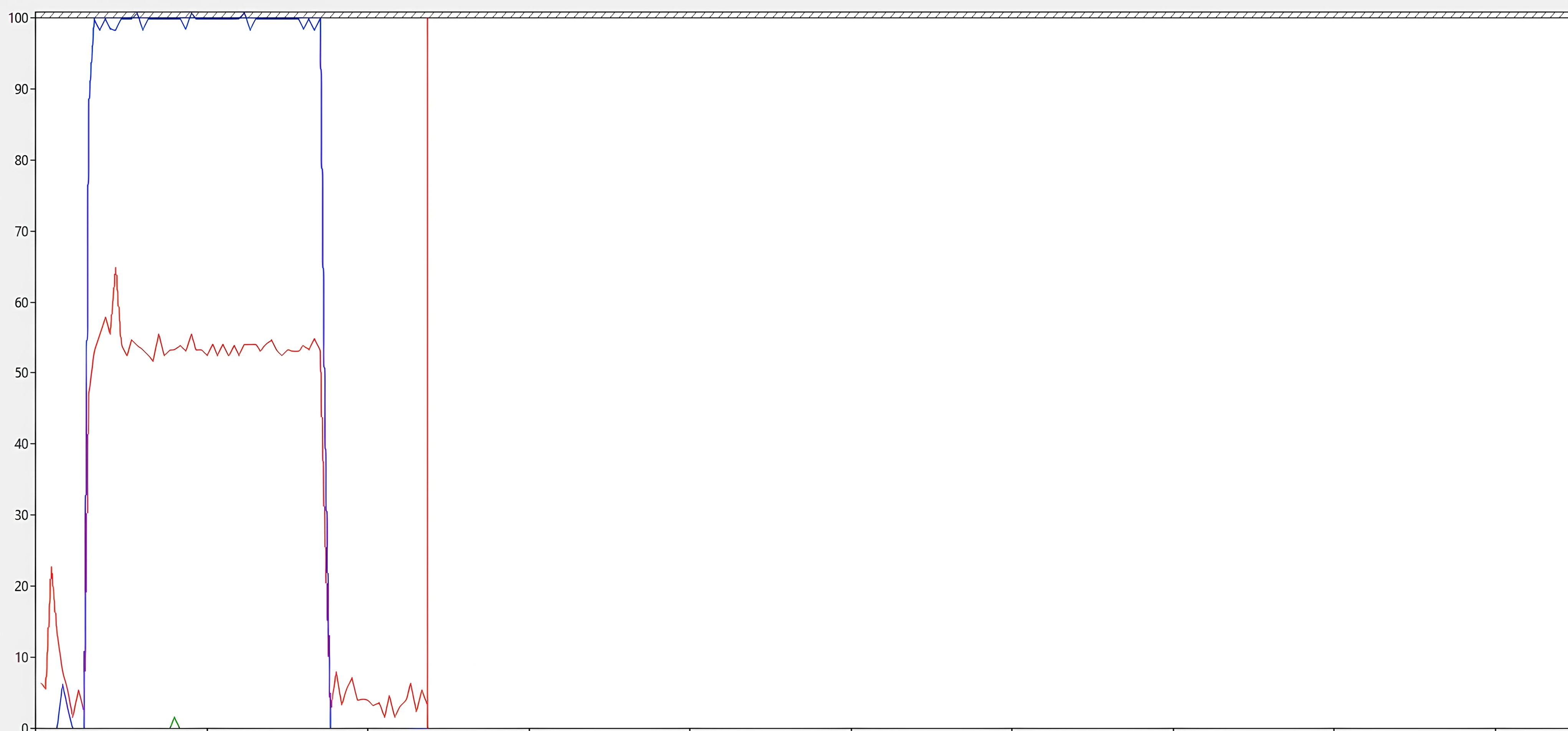
Instance-1 performed a read operation, taking 42 seconds and utilizing 100% of a single logical processor. This indicates that the application is single-threaded, as it fully consumed one CPU to process the data.
In the below image, blue line indicates instance-1 CPU and red line indicates overall system CPU.
Test-2 (Two instances - Parallel)
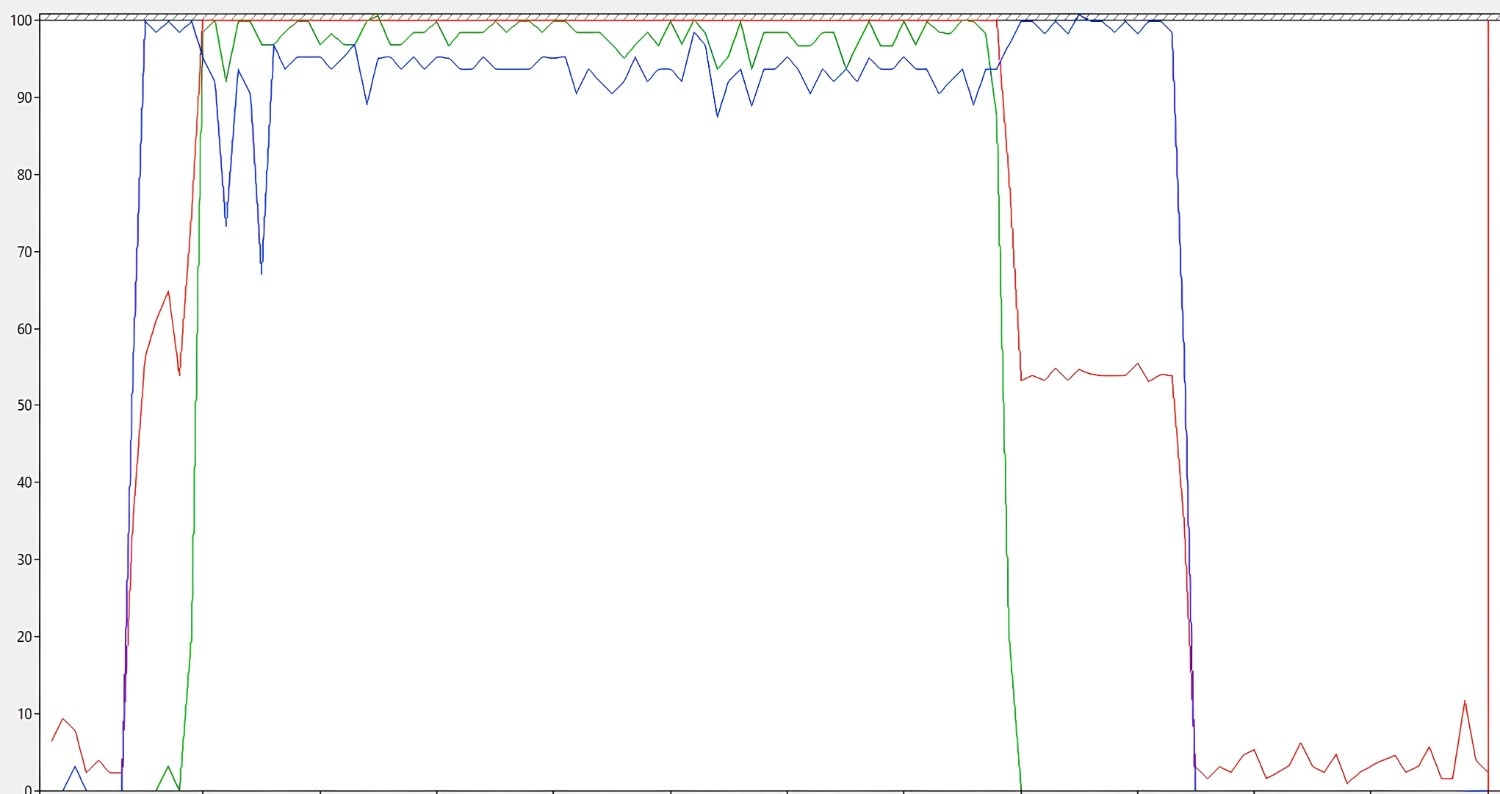
Instance-1 was initiated first, followed by Instance-2, both performing read operations. Although Instance-1 started earlier, it completed last, taking 92 seconds, while Instance-2, which was initiated later, completed first in 72 seconds.
During this activity, system CPU core is fully occupied.
In the below image, blue line indicates instance-1 CPU, green line indicates instance-2 CPU and red line indicates overall system CPU.
Reason for performance degrade between Test-1 & Test-2:
Standalone Instance-1: 42 seconds
Parallel Execution Instance-1 & Instance-2: 92 seconds & 57 seconds
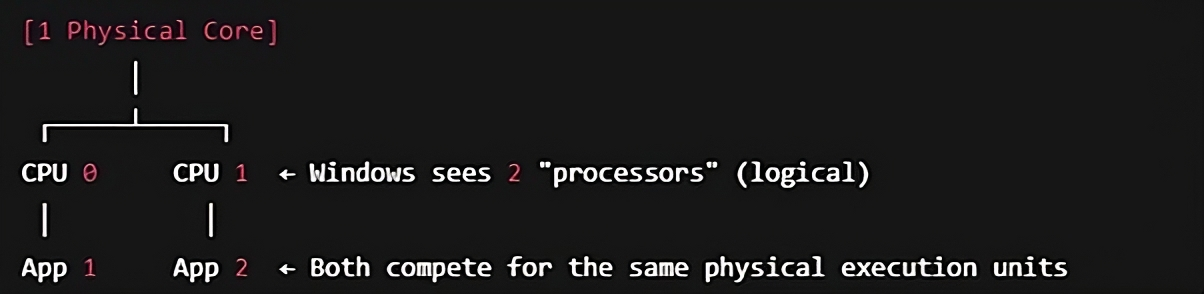
Even though Windows shows 2 CPUs in Task Manager, both are logical siblings on the same core. They share execution units, caches, and queues, so true parallelism is not possible. Windows scheduler tries to balance them, but:
- Instance 1 loses priority when instance 2 starts
- Context switching and cache thrashing increase
- Thermal or power throttling may occur under load
Hence, sufficient core should be available to perform equivalent to standalone performance.
Test-3 (Three instances - Parallel)
Instance-1 was initiated first, followed by Instance-2 and Instance-3 to perform read operations. During this test, CPU sharing occurred due to insufficient CPU resources, which led to performance degradation.
In the below image, blue line indicates instance-1 CPU, green line indicates instance-2 CPU, purple line indicates instance-3 CPU and red line indicates overall system CPU
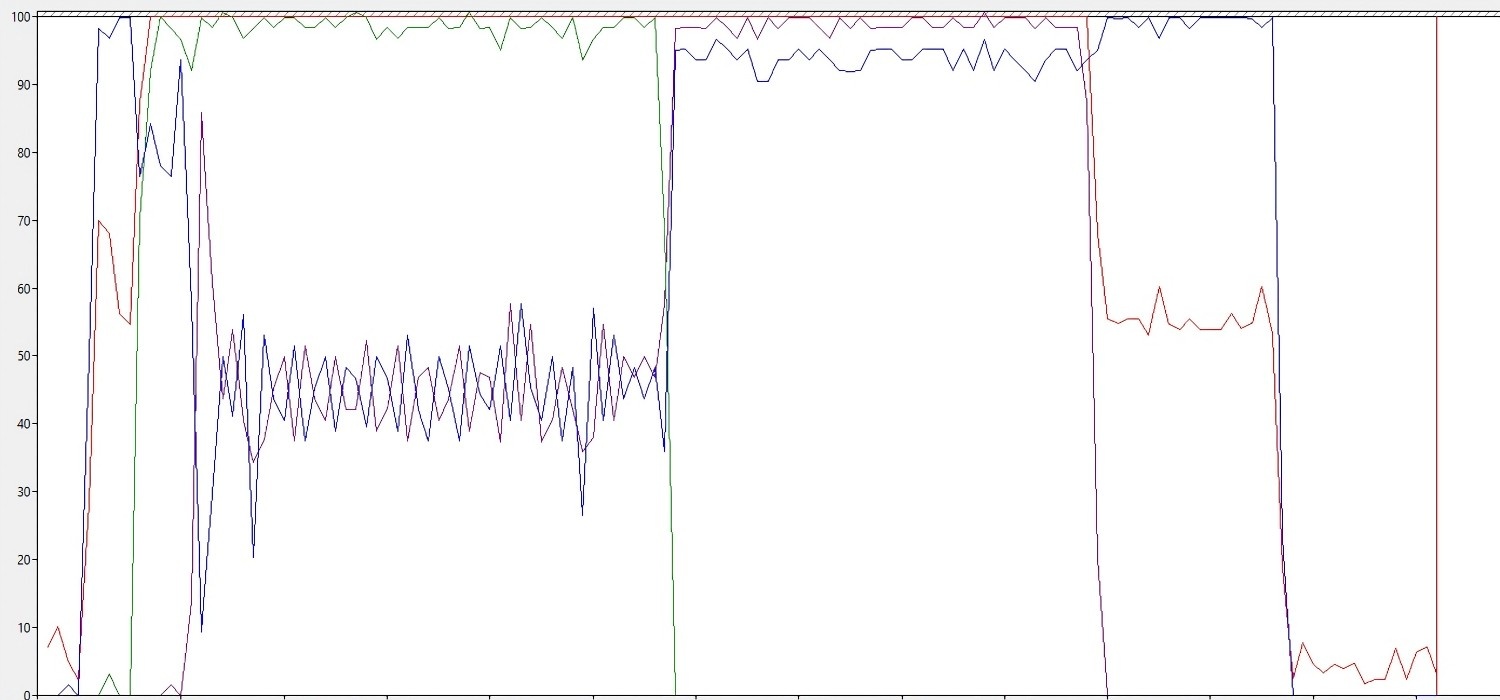
Instance-1 was initiated first (blue line) and consumed 100% of one logical processor, while one logical processor remained available. When Instance-2 was initiated (green line), it fully utilized the second logical processor, leaving no additional logical processors available. At this point, only CPU sharing is possible. When Instance-3 was initiated (purple line), it had to share CPU resources with Instance-1. This resource sharing significantly degraded performance.
Instance-1 took 121 seconds
Instance-2 took 60 seconds
Instance-3 took 94 seconds
Reason for performance degrade
1. CPU overcommitment
a. Only 2 logical processors available.
b. single-threaded processes running concurrently.
c. The OS must context switch frequently to keep all 3 moving.
d. High CPU queue length leads to waiting time → longer execution.
2. Shared physical core
All three instances compete for:
a. Execution units (ALUs, FPUs)
b. CPU caches
c. Memory bus access
This causes:
- Inter-process interference
- Increased latency per operation
3. Unfair scheduling effects
- Instance-1 gets penalized more heavily as it started first and ran the longest.
- Instance-2 may have benefited from temporarily better access to CPU resources.
- Instance-3 likely overlapped more with Instance-1’s tail, causing moderate slowdown.
Summary
|
Test |
Ins-1 |
Ins-2 |
Ins-3 |
Performance |
|
Test-1 |
42 |
X |
X |
Best Performance |
|
Test-2 |
92 |
72 |
X |
Both logical processors in use, moderate degradation |
|
Test-3 |
121 |
60 |
94 |
CPU sharing occurs as third instance compete for limited logical CPU |
For real-world usage, the number of concurrent single-threaded processes should not exceed the number of physical or logical CPUs available, depending on the workload sensitivity.














