










Introduction: Why does business growth break your existing setup?
Growing businesses need software that can handle more transactions without creating more manual work. In my 20 years of working in accounting across manufacturing, pharmacy, retail, service businesses, construction, dealerships, automobiles and e-commerce, I have seen one thing repeatedly: businesses usually do not realise that they have outgrown their existing system until daily work starts becoming difficult.
More customers mean more invoices. More products mean more stock to control. More transactions mean more bank entries and reconciliations. And as the team grows, management needs better reports and better control over who is doing what.
So the real question is not, “Which software has the most features?” The better question is: “Which system can manage my growing business without making accounting more complicated?”
For many small and mid-sized businesses, this means having accounting, billing, inventory, banking and business reports connected in one place. TallyPrime is one practical example of this approach. And now, tools such as Docs by Ira can also reduce one of the most repetitive parts of accounting, entering information from invoices and business documents manually.
How do software requirements change as your business scales?
Adding new customers, expanding product catalogs, hiring staff, and managing higher transaction volumes fundamentally alters what a company needs from its technology stack.
In my practice, I frequently observe specific operational inflection points, such as reaching 5 or more employees, tracking over 50 contacts, or processing more than 2,000 monthly transactions, where basic entry-level spreadsheets begin showing 3–5 second system load delays, formula breaks, and data synchronization failures.
To understand where your organization stands, compare your current operations against the operational evolution outlined below:
|
Early-Stage / Basic Setup |
Growing Business Requirements |
|
Customer & Sales Management: Single-user contact lists, manual invoice creation, and basic tracking limited to under 50 contacts. |
Customer & Sales Management: Multi-user contact management, automated milestone billing, and centralized pipeline tracking. |
|
Inventory & Product SKUs: Manual stock counts, single-location spreadsheets, and simple product catalogs. |
Inventory & Product SKUs: Multi-location tracking, batch/lot management, size/color variant matrices, and automated reorder points. |
|
Banking & Cash Flow: Manual bank statement matching, periodic cash checks, and spreadsheet reconciliation. |
Banking & Cash Flow: Automated bank feeds, instant reconciliation, and real-time operating cash flow and liquidity ratio monitoring. |
|
Staff & Multi-User Access: Single-editor spreadsheets, edit-locking bottlenecks, and shared logins without security roles. |
Staff & Multi-User Access: Role-based permissions (RBAC), multi-user concurrency, and unalterable computer-generated audit trails. |
Which business functions need upgraded software first?
When a business scales, operational friction manifests in administrative functions long before spreading across the entire organization. Addressing these core functions early prevents costly revenue leakage and keeps operations running smoothly.
- Accounting & Billing: Transitioning to automated double-entry bookkeeping eliminates redundant manual journal entries, simplifies milestone billing, and prevents the 15–20% billing leakages commonly caused by disconnected tools.
- Inventory Management: Shifting away from manual guesswork enables real-time stock valuation and multi-warehouse management. This supports complex operational needs like fabric and component multi-level Bills of Materials (BOMs) containing 10–50 components, as well as 15–80 variant matrix combinations (size × color).
- Banking & Reconciliation: Replacing hours of painstaking manual statement matching with automated bank feeds ensures arithmetic accuracy, speeds up Chart of Accounts mapping, and accelerates month-end closes.
- Compliance & Reporting: Replacing stale, manually compiled spreadsheets with real-time financial reporting provides instant profit-and-loss insights, General Ledger auto-posting, and auditable transaction trails.
Why is one connected system more practical than multiple separate tools?
Juggling separate applications for sales, inventory, and bookkeeping forces your team to waste up to 3 hours per employee each day on manual data entry and reconciliation. Transitioning to unified integrated accounting solutions delivers three core practical advantages:
- Elimination of Data Silos: Customer, inventory, and billing data flow seamlessly across departments without requiring re-entry across different sheets or applications.
- Time & Cost Efficiency: Automated data entry drastically reduces monthly consolidation time, eliminates costly human transposition errors, and cuts administrative overhead.
- Single Source of Truth: Leadership gains instant access to accurate financial statements, Trial Balance verification, and cash flow reports without needing manual spreadsheet stitching.
What common software gaps become visible as businesses expand?
Drawing from two decades of auditing and advisory experience in manufacturing, pharmacy, automobile dealerships, and retail, I consistently see four major software gaps emerge during expansion:
- Inventory and Accounting Mismatches: As transactions increase, stock quantities, stock valuation and accounting records may stop matching, especially when purchases, sales, batches or godown-wise stock are managed separately.
- Delayed Month-End Closing: Finance teams spend extra time reconciling bank statements, checking customer and supplier balances, reviewing GST entries and combining data from different Excel files before finalising the accounts.
- GST, Audit Trail and Compliance Gaps: Incorrect GST details, delayed entries, duplicate vouchers or changes in transactions without proper tracking can create problems during GST reconciliation, statutory compliance and audits.
- Billing and Collection Gaps: Goods may be supplied or services completed, but invoices, payment adjustments or customer follow-ups may be delayed, leading to higher outstanding amounts and pressure on cash flow.
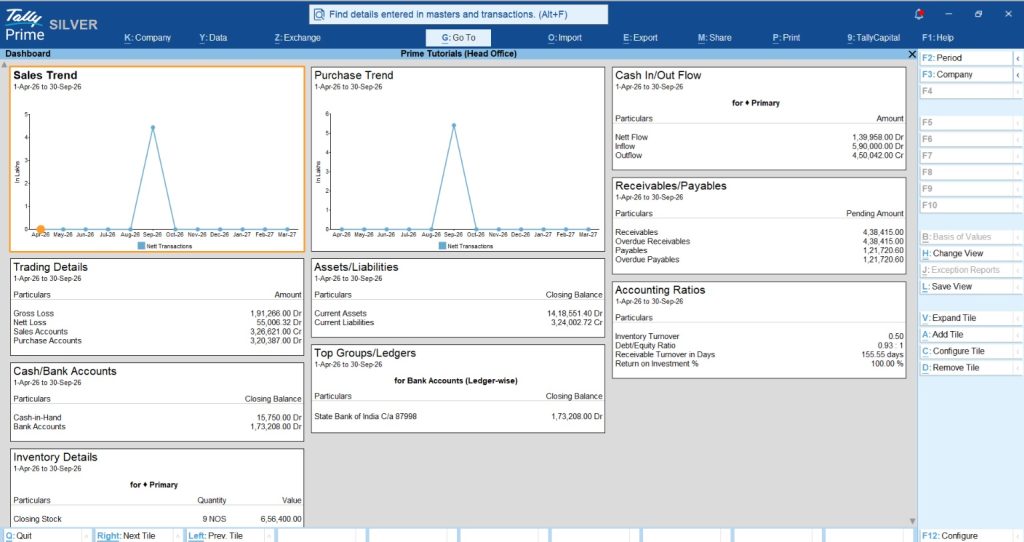
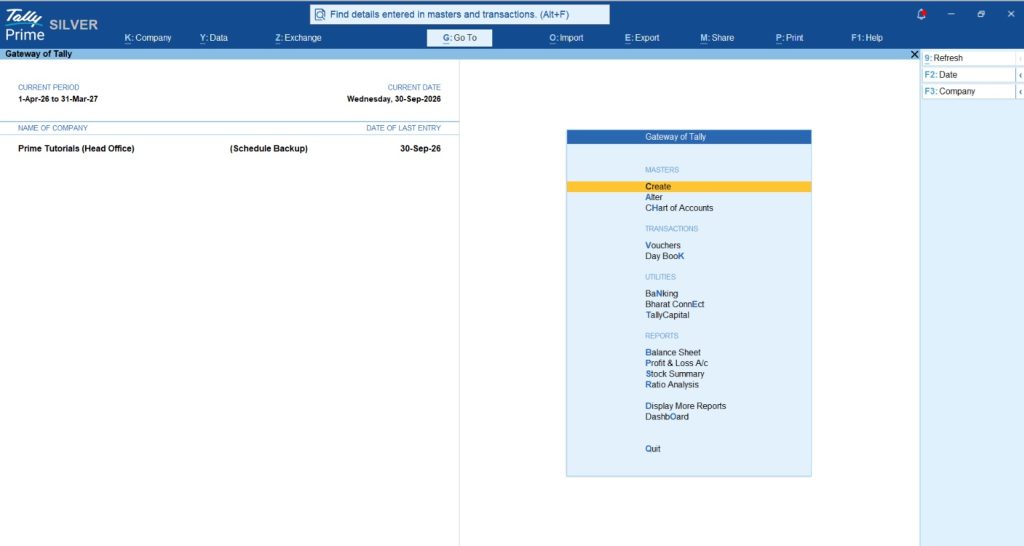
How does TallyPrime manage accounting, billing, inventory, banking, payroll and reports together?
For growing small and mid-sized businesses, TallyPrime helps manage key business functions from one connected system. This reduces repeated data entry and makes it easier to keep accounts, stock, banking and business reports updated.
- Accounting & Billing: Manage sales, purchases, receipts, payments, customer and supplier balances, GST invoices and day-to-day accounting from the same system.
- Inventory Management: Track stock quantities, godown-wise inventory, batches, stock valuation, purchases, sales and stock movements along with accounting transactions.
- Banking: Handle bank reconciliation, payment-related activities and bank transactions while keeping them connected with the books of accounts.
- Payroll: Manage employee details, attendance, salary calculations and payroll-related accounting where payroll is required.
- Reports & Compliance: View Profit & Loss, Balance Sheet, Trial Balance, outstanding reports, stock reports, cash and bank positions, GST-related reports and other business information directly from recorded transactions.
The main advantage is that one transaction can update multiple related areas of the business, reducing duplicate work and giving management a clearer and more up-to-date view of the business.
Actionable checklist: Is your business ready to upgrade its software?
Evaluate your operational bottlenecks using this practical checklist:
- My team spends more than 5 hours a month manually reconciling bank statements.
- Physical inventory counts frequently mismatch what is logged in our system.
- Month-end financial reporting takes more than 3-5 days to compile.
- We are using multiple disconnected tools to handle billing, stock, and accounts.
- We lack an unalterable audit trail for financial entries.
Conclusion: The final word for growing businesses
Outgrowing your initial tools is a milestone of business success, not an unexpected failure. Upgrading to a cohesive business management system protects your profit margins, frees your team from tedious manual work, and lays a scalable foundation for expansion. Take time today to analyze your operational bottlenecks and consult the financial workflow strategies and software evaluation frameworks on Docs by Ira to make an informed upgrade choice.
Frequently Asked Questions (FAQs)
What is the biggest risk of delaying a business software upgrade?
Delaying upgrades leads to unbilled work, inventory discrepancies, employee burnout, compliance failure risks, and making critical strategic leadership decisions based on outdated, inaccurate financial data.
When should a business upgrade from manual spreadsheets to business software?
Businesses should upgrade when reaching five or more employees, processing over 2,000 monthly transactions, or experiencing recurring billing errors, inventory mismatches, and delayed month-end closes.
Why is an integrated system better than using separate software tools?
An integrated system eliminates manual double entry, prevents revenue leaks, unifies financial reporting, and ensures your inventory, billing, and general ledger sync automatically in real time.
Can TallyPrime handle both inventory and accounting simultaneously?
Yes, TallyPrime seamlessly integrates accounting, inventory tracking, customer billing, and bank reconciliation into a single unified database, ensuring complete arithmetic accuracy without requiring external add-ons.
What primary business functions need software support first during growth?
Accounting, customer billing, multi-location inventory tracking, automated bank reconciliation, and financial compliance reporting are the primary business functions requiring dedicated software automation during growth.
Is TallyPrime suitable for different industries like retail, manufacturing, and services?
Yes, TallyPrime supports multi-sector operational requirements, including retail point-of-sale billing, manufacturing bills of materials, pharmacy batch and lot tracking, and professional service invoicing.
How long does it take to migrate business data to a new software platform?
Cleaning historical data and executing CSV imports typically takes one to three days, allowing growing businesses to transition smoothly without disrupting daily sales or operations.







