










Why year-end pressure in a CA firm is a repetition problem, not an accounting one
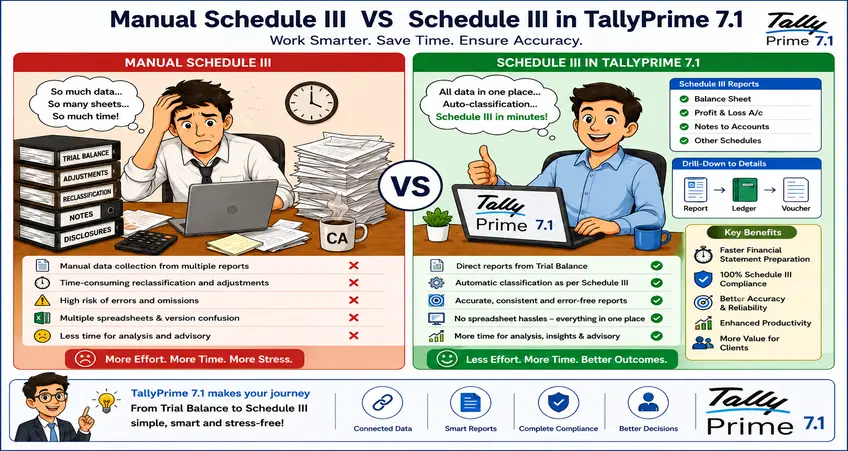
Year-end work rarely arrives one client at a time.
One company sends its final trial balance on Monday. Another sends revised depreciation workings on Tuesday. A third remembers an old loan disclosure at the last moment, usually on the evening you were planning to close their file.
And every one of them expects the same thing: accurate financial statements, proper Schedule III presentation, and no surprises after signing.
For a CA handling many companies, the hard part is not the accounting knowledge. It is the repetition. The same sequence has to run for every client. Export the financial data, map the ledgers, check current and previous-year figures, hunt for missing disclosures, verify ratios, and prepare the final statements. Do that once and it is routine. Do it forty times in six weeks and it becomes the whole problem.
One wrong mapping can quietly disturb several notes. One late change in the trial balance can force the team to redo part of the exercise for a file everyone thought was done.
TallyPrime's Schedule III Financial Statements Add-on is built to make that repetition more structured. It does not replace your judgement. It cuts down the mechanical work sitting around your judgement. This article is about how to use it when you are running many clients at once, not just one.
The difficulty is never one statement. It is the fiftieth.
Any CA can prepare one set of financial statements by hand. The pressure starts when the firm has to prepare twenty, fifty, or more, and each client keeps its books in its own way.
Take a simple loan. One client calls the ledger “Vehicle Loan.” Another calls it “Term Loan HDFC.” A third writes “Loan Against Commercial Vehicle.” All three usually need the same presentation in the financial statements, but nothing in the raw books tells you that. Someone has to know it.
The same scatter shows up in trade receivables, trade payables, fixed assets, security deposits, employee benefits, other current liabilities, and related-party balances. The accountant has to read each ledger and put it in the right place.
That reading is where the hours go. Not in printing the Balance Sheet. In turning one client's book-keeping habits into a compliant reporting structure, and then doing it again for the next client whose habits are different.
TallyPrime starts from data you already have
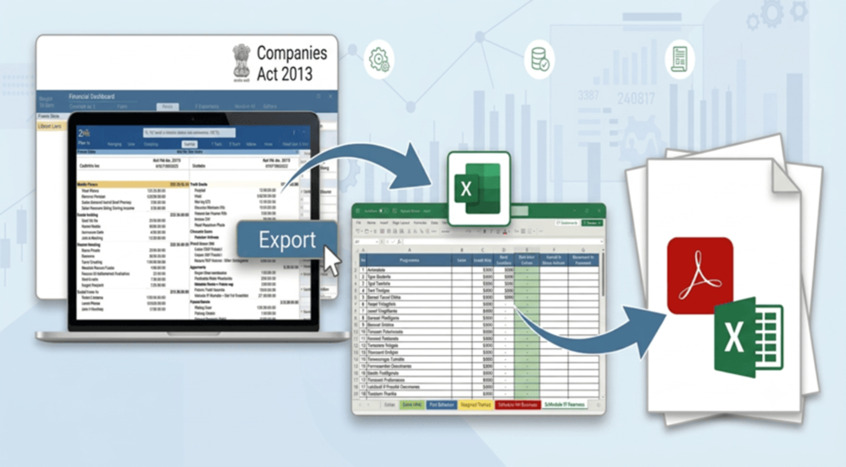
TallyPrime Release 7.1 introduced an Excel-based Financial Statements Add-on for corporate entities covered by Schedule III Division I. It is meant for Indian companies that follow the notified Accounting Standards and are not required to apply Ind AS, and it can generate the Balance Sheet and Statement of Profit and Loss in the prescribed structure.
The useful part is where it begins. It works off the reports you already open every day: the Balance Sheet, the Profit and Loss Account, and the Trial Balance. From any of these, you export the financial information into a smart Excel template.
The template then populates the financial data, pre-maps many trial balance ledgers, carries both current and previous-year figures, gives you input sheets for the details, and lays out the reporting structure. You are no longer building each financial statement from a blank Excel file.
That sounds small until you multiply it by the number of clients on your desk. A standard starting point means less variation between team members, which means less rework when a senior picks up a junior's file.

The mapping work becomes reusable
Ledger mapping is one of the slowest parts of Schedule III preparation. A ledger called “Office Rent Deposit” may need to sit under non-current financial assets. Another one belongs under other current assets. The software cannot decide every classification on its own, and it should not. The CA still reviews it.
What changes is that the template remembers. Once you complete a client's mapping, it is saved. When you export data into the same template again next year, the common mappings are retained, and only new or unmapped ledgers usually need fresh attention. The template also lets you reuse an existing mapping when you export another company's data into it.
For a firm with several clients in one industry, this adds up quickly. Manufacturing clients tend to repeat the same ledgers: raw material purchases, stores and consumables, power and fuel, freight inward, factory wages, plant and machinery, accumulated depreciation. Once your team settles on a standard way to map these, most of that logic carries across clients. You still review each one. You just stop starting from zero every time.
A process you repeat this often should be a system, not a memory test.
Current and previous-year figures stay together
Schedule III statements need comparative figures for the previous year, and that gets awkward when a client has split the Tally data. The current year lives in one company data set, the previous year in another.
TallyPrime lets you export the current-year data from the selected company and the previous-year data from another loaded company, and the template drops each into the right current-year and previous-year worksheets. From there you can compare revenue movement, borrowings, inventory, receivables, payables, fixed assets, expenses, and ratios in one place.
Without that structure, teams end up copying last year's figures by hand. One column shift while pasting can change comparative information across several schedules, and nobody notices until review, or worse, after signing.
|
CFO Tip: Before you export, confirm you have selected the correct previous-year company. A technically clean export from the wrong company is still wrong, and it is the kind of mistake that survives all the way to the final statements. |
Pending items stop hiding
The worst part of statement preparation is not the work you can see. It is not knowing what is still incomplete. A workbook can look almost finished while a ledger sits unmapped, the trial balance totals differ by a few rupees, a disclosure is missing, a classification is still uncertain, or a manual figure was never updated.
The template surfaces these. It flags unmapped items, highlights differences against the trial balance, and pulls uncertain matters into a dedicated review sheet. So when a senior asks “what is still pending on this file,” the answer does not depend on whether the junior remembers. The working file itself shows the open items.
That is what makes maker-checker actually work. The junior handles the initial export, the basic mapping, the input collection, and difference identification. The senior spends time on classification judgement, materiality, disclosures, accounting treatment, and final review. That is a far better use of a senior's hours than chasing a ledger someone forgot to map.
Ratios come in, but the explanation is still yours
Schedule III reporting is no longer only about presenting balances. Financial ratios, and explanations for significant changes in them, matter too.
The Add-on largely auto-generates the ratios for the current and previous years along with the variance, and then asks you for the inputs and the reasons behind the movement. That does not mean you accept every number as printed. The team should still check the figures used, the denominator, any exceptional balances, changes in the business, one-time transactions, and the real reason for a large swing.
Take a current ratio that drops sharply. The cause might simply be a short-term loan the company took to buy equipment. The number on its own reads like a warning. The explanation turns it into context a reader can trust.
The software can calculate the ratio. Only you can explain the business behind it.
Many clients still means client-by-client reporting
One expectation worth correcting early: the Add-on does not prepare a single combined Schedule III statement across several clients or group companies. Tally's own FAQ says the facility currently works for one company at a time, and holding, subsidiary, associate, and group-company reporting is not supported as one combined exercise in Release 7.1.
So where is the help for a multi-client firm? In standardisation. You apply the same controlled workflow to every client: finalise the books, export the financial data, review the saved mapping, resolve the unmapped balances, enter the disclosures, verify the ratios, generate the statements, and complete the senior review.
The value here is not one-click preparation for all your clients. It is one repeatable process for each of them. In a busy firm, that distinction is the whole point.
What still needs you, directly
Technology is dangerous when it creates false comfort, so it is worth being clear about what the Add-on does not do.
Signatory information and the Unique Document Identification Number are not fetched automatically. You enter them into the template. Deferred tax has to be worked out separately, even though the related ledger balances can be mapped into the right section.
Beyond that, the judgement areas stay with you: accounting-policy disclosures, contingent liabilities, related-party information, commitments, ageing details, share-capital information, deferred tax, exceptional items, subsequent events, and going-concern matters. TallyPrime organises the data. It does not sign the financial statements. That responsibility stays with management and the professional, where it belongs.
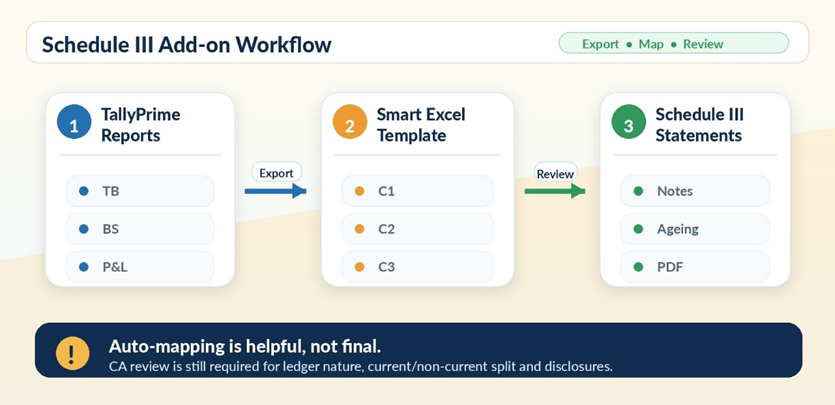
A practical workflow for CA firms
For firms running several clients, I keep the process deliberately plain. Create a separate working folder for every client, and keep one controlled Schedule III template per client. Preserve the mapping from year to year. Finish the mapping before entering any manual disclosures. Compare the output against the final trial balance every time. And record all reviewer comments in one place, so nothing lives only in someone's head.
|
Before you plan the year-end run, check the requirements: The Add-on needs TallyPrime Release 7.1 or later, a valid Tally Software Services subscription, and Microsoft Excel 2016 or later on Windows. The current template supports English and Indian Rupees, and Tally states there is no separate Add-on charge for eligible users. |
Good reporting comes from a better process, not more Excel
Schedule III work turns stressful when it runs on manual copying, personal memory, and a different format for every client. The cost is familiar to anyone who has lived through a busy season: long evenings, repeated checking, last-minute changes, and senior time spent fixing avoidable errors.
TallyPrime cannot remove the professional judgement a CA brings. What it removes is the repeated work stacked around that judgement, which is exactly the work that eats a firm's capacity in peak season.
If it helps, here is the short version I give my own team. Finalise the trial balance before export. Keep ledger names clean and meaningful. Reuse mapping instead of starting again. Verify the current and previous-year company data. Complete disclosures through a proper maker-checker process. Reconcile the final statements back to the books.
Do those six things across every client and the season changes character. Not because you worked faster, but because the process finally did.







