










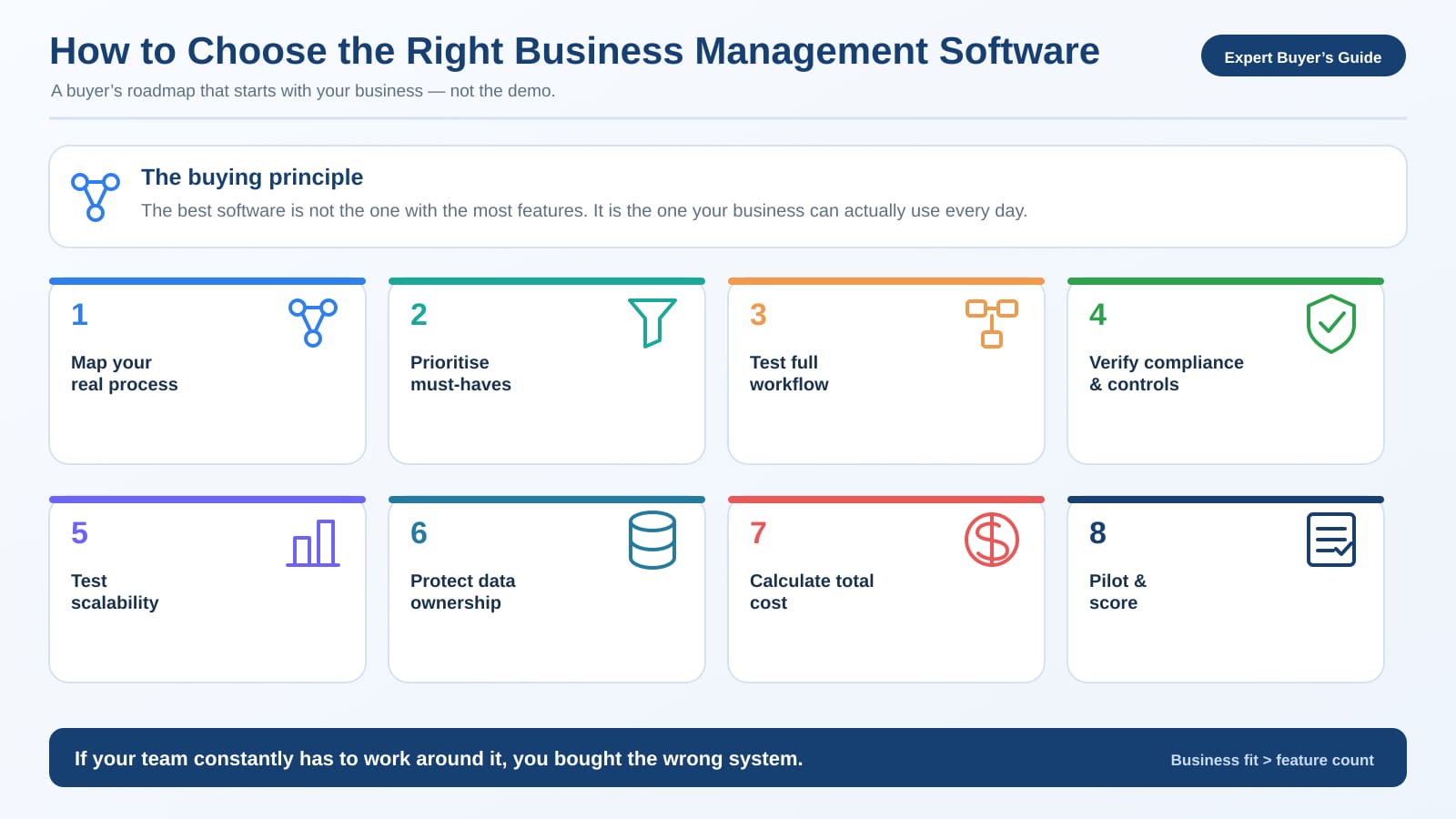
I've seen the same thing play out enough times to know how it ends before it starts. A business sits through a slick demo, dashboards and automation and AI and mobile apps and twenty reports, everyone comes away impressed, the deal gets signed. Three months later the accounts team is still on Excel next to the new software, purchase is keeping its own register, the inventory doesn't tie out, and the owner is still ringing the accountant to ask what the numbers are.
The software usually wasn't the problem. The buying was.
Business management software today can run accounting, sales, purchases, inventory, banking, GST, payroll, projects, manufacturing, warehouses, and reporting all in one place. Your business may not need half of it. This is about working out what you actually need, what to test before you pay, and which questions matter far more than anything in the demo.
Start with your business, not the software
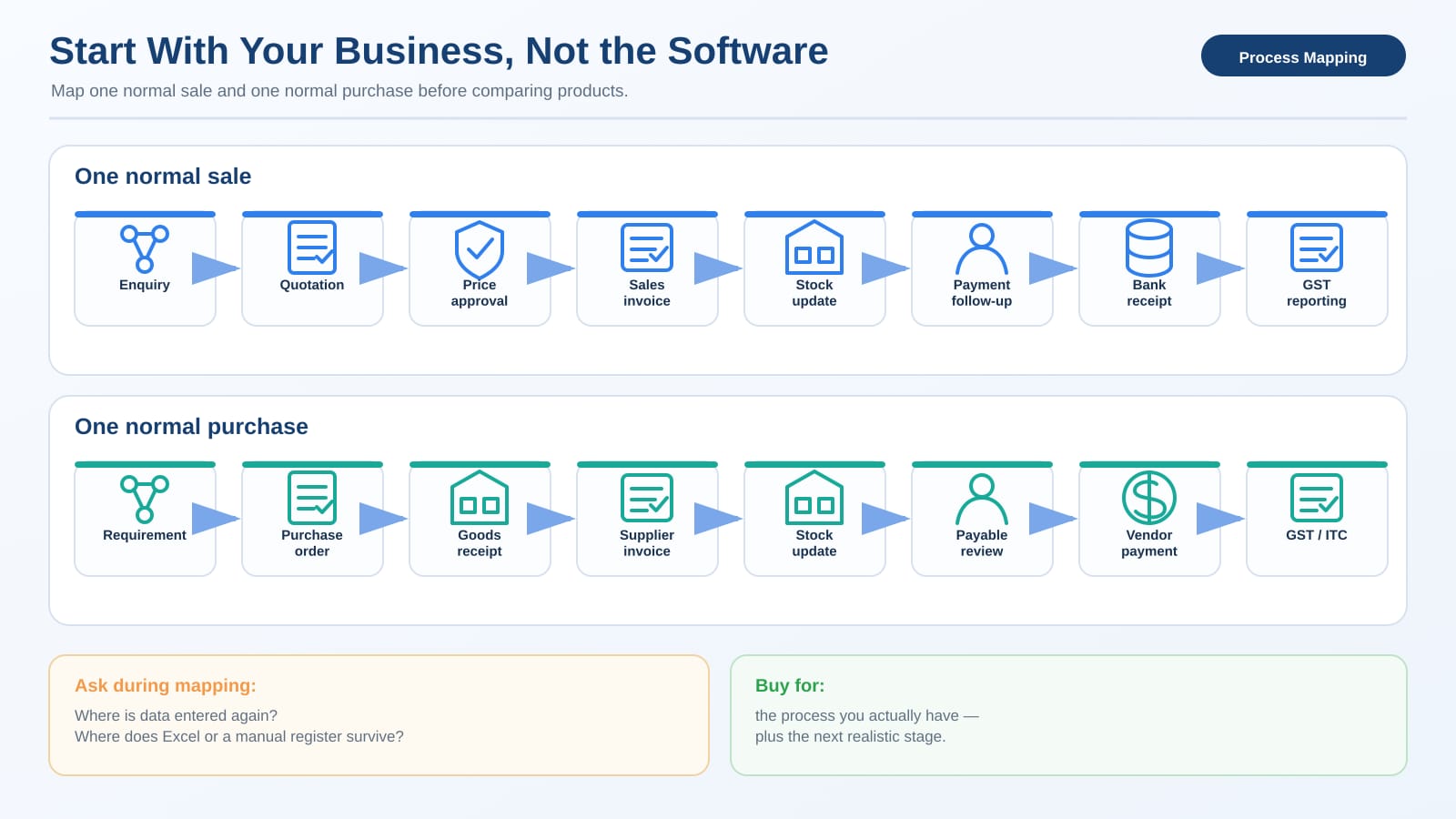
Before you compare a single product, write down how your business actually runs. Take one ordinary sale and follow it the whole way. Where does the enquiry come in, who makes the quotation, who signs off the price, who raises the invoice, does stock come down on its own, who chases the payment, how does the bank receipt land in the books, and how does the whole thing reach your GST return. Then do the same walk for a purchase.
That exercise surfaces your real requirements faster than any feature list. A service business usually needs accounting, GST, TDS, billing, receivables, project tracking, and expense approvals, and not much beyond that. A distributor cares about something quite different: sales and purchase orders, inventory across multiple godowns, batch tracking, credit control, e-way bills. A manufacturer adds another layer again, with a bill of materials, production, material consumption, job work, production planning, and warehouse control.
So don't buy manufacturing software because its dashboard looked impressive, and don't buy basic billing software when you're already running four warehouses. The point is fit, not features.
Sort the must-haves from the nice-to-haves
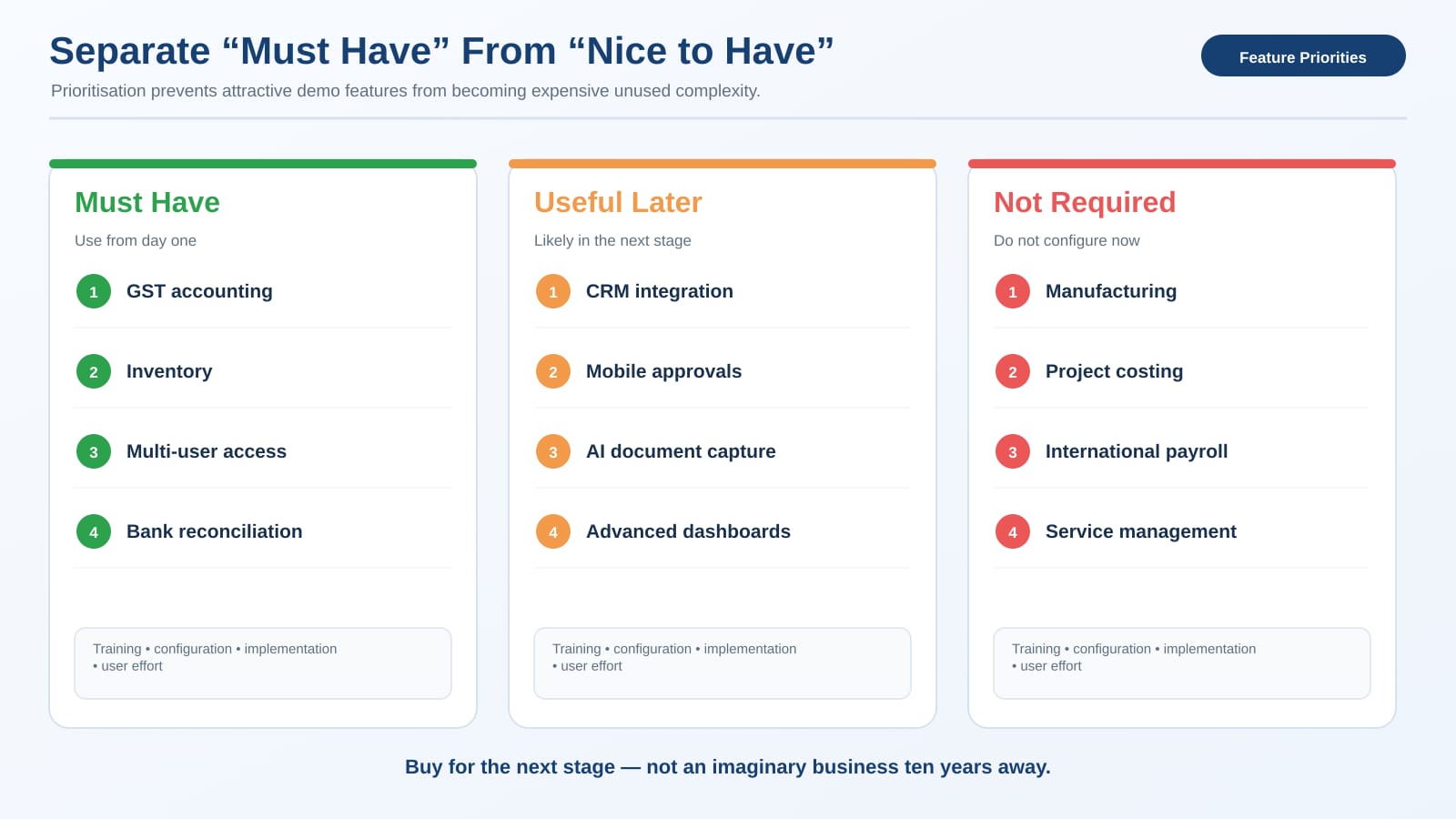
This one exercise saves real money. Put three columns on a page and make yourself drop every feature into one of them.
|
Must have |
Useful later |
Not required |
|
GST accounting |
CRM integration |
Manufacturing |
|
Inventory |
Mobile approvals |
Project costing |
|
Multi-user access |
AI document capture |
International payroll |
|
Bank reconciliation |
Advanced dashboards |
Service management |
Yours will look different, and that's the point; the value is in being forced to choose. A feature that dazzles in a presentation may never get switched on, and every feature you don't use still costs you something in training, configuration, implementation, and plain user confusion. Buy for the next stage of your business, not for an imaginary version of it ten years out.
Test one whole transaction, end to end
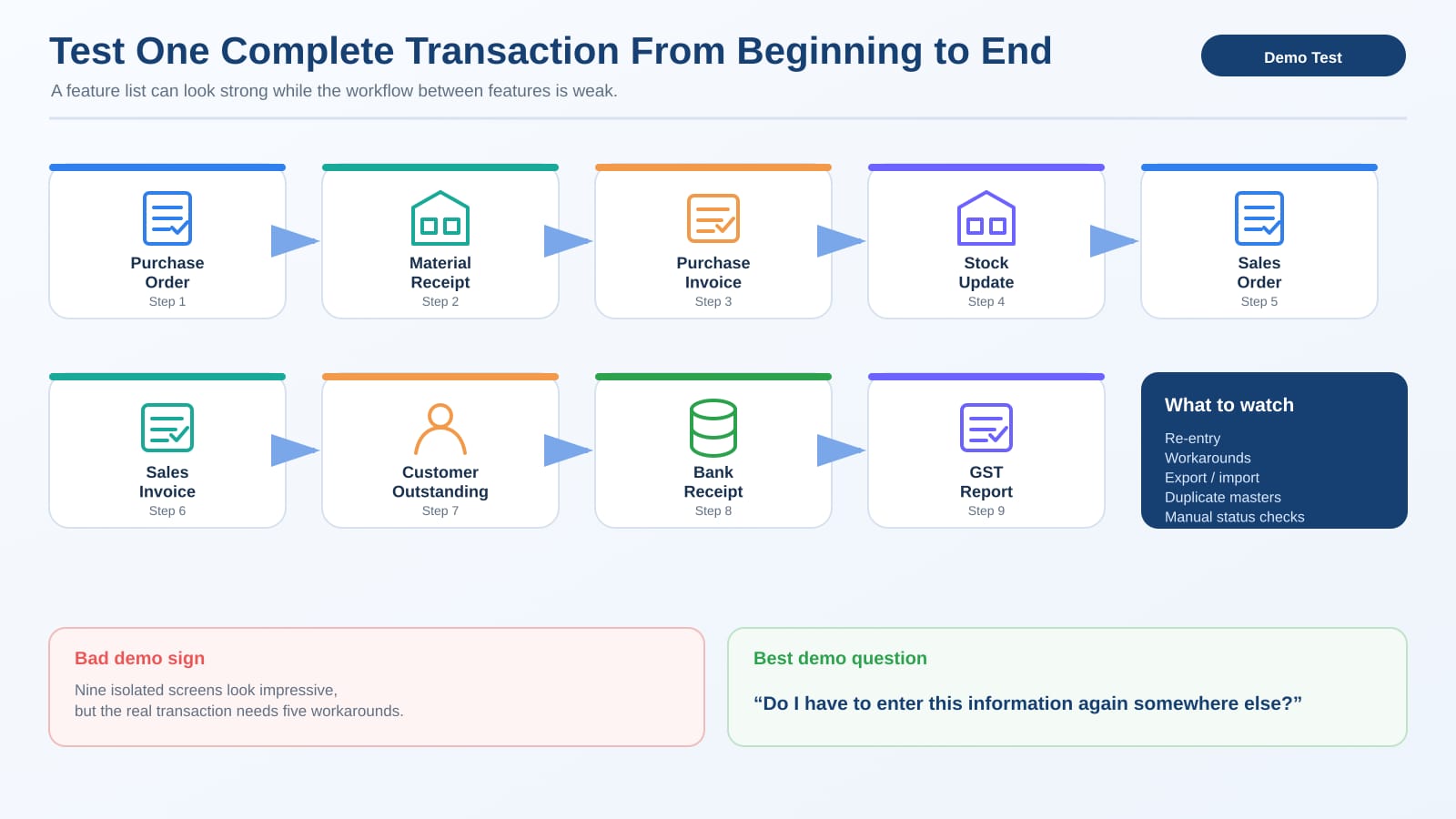
Feature lists mislead. A system that says "inventory supported" has told you almost nothing. Make the vendor run your actual transaction instead. For a trading business that means the full chain:
Purchase Order → Material Receipt → Purchase Invoice → Stock Update → Sales Order → Sales Invoice → Customer Outstanding → Bank Receipt → GST Report.
Use a real product, a real discount, the tax structure you actually follow, your normal credit period. If it takes five workarounds to get through, note every one of them. Ten features working in isolation tell you far less than how cleanly the data moves from one step to the next, because that hand-off is where most systems quietly fail.
CFO Tip: Through the whole demo, keep asking one question: do I have to enter this information again somewhere else? Every yes is worth chasing down.
Indian compliance can't be bolted on in March
For an Indian business the software has to live with Indian compliance, so depending on what you do, check for GST, multiple GST registrations, HSN/SAC, e-invoice, e-way bill, GST reconciliation, TDS and TCS, the payroll statutory requirements, and an audit trail or edit log. Don't accept "yes sir, GST is supported" as an answer. Ask them to show it: can transactions flow into the GST reports, can portal data be reconciled, can corrections be tracked, can multiple GSTINs be handled cleanly.
For companies keeping their books through accounting software, the audit-trail requirement has applied for financial years beginning on or after 1 April 2023, which makes edit history more than a convenience for such businesses; the software has to record the required transaction changes and preserve the trail. GST record rules also call for proper electronic records, backups, and logs of edited or deleted entries. This is the kind of thing that has to be designed into the system from the start, not discovered the week before a filing.
User control is part of accounting, not separate from it
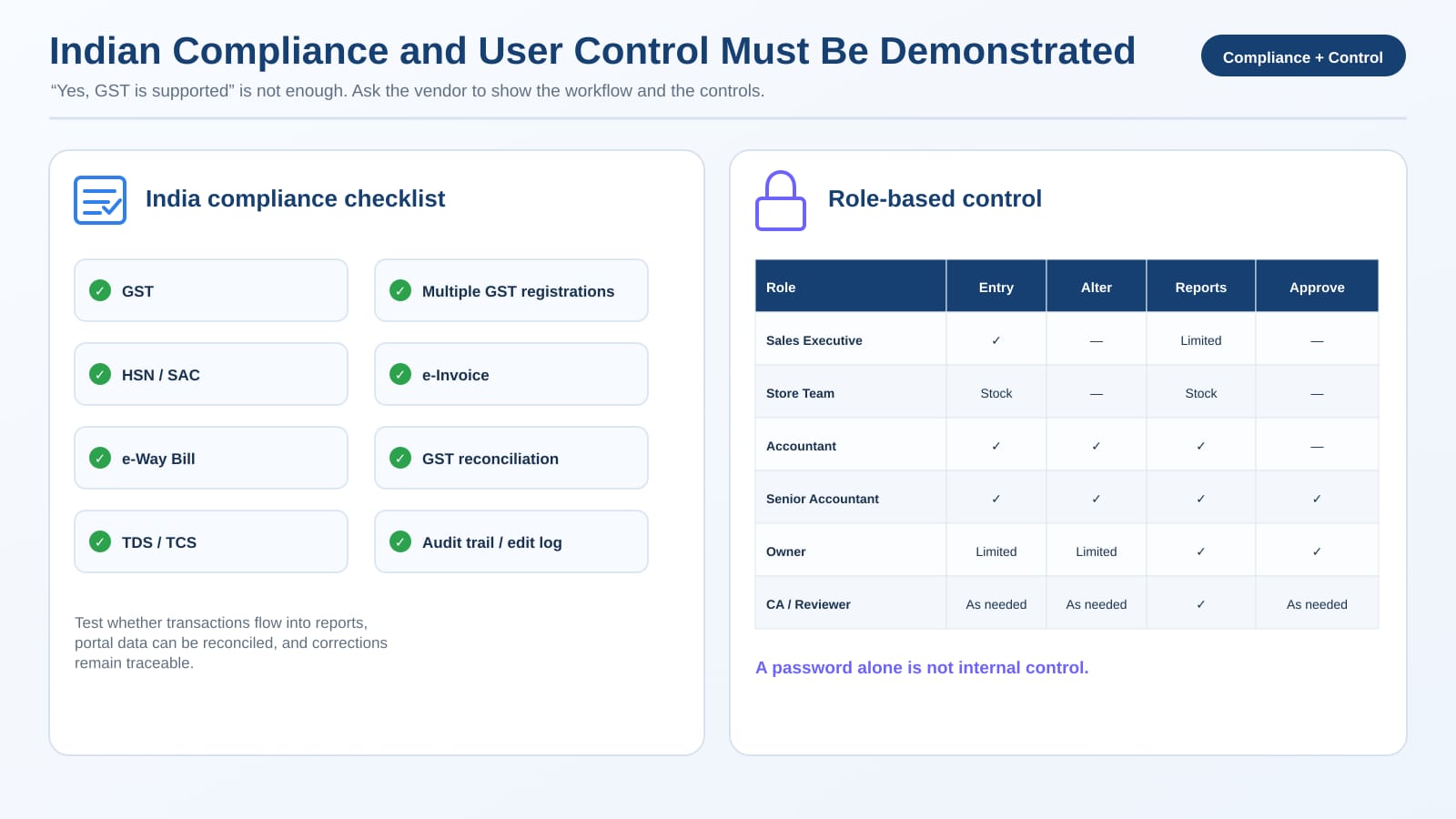
Say you've got twelve users. Should every one of them be able to delete vouchers, change customer credit limits, alter old transactions, create new ledgers, see salary information, or change GST settings? Obviously not. What you want is proper roles and permissions, so responsibility can actually be separated: the sales executive on sales activity, the store team on inventory movement, the accountant on entries, a senior accountant on review and correction, the owner on reports and approvals, and the CA with whatever review access is needed. The bigger the business gets, the more this matters.
CA Checklist: Before you buy, make the vendor demonstrate live: user creation, role-based permissions, approval controls, edit history, backdated-entry restrictions, and user-activity tracking. A password on its own is not internal control.
Ask what happens when you grow
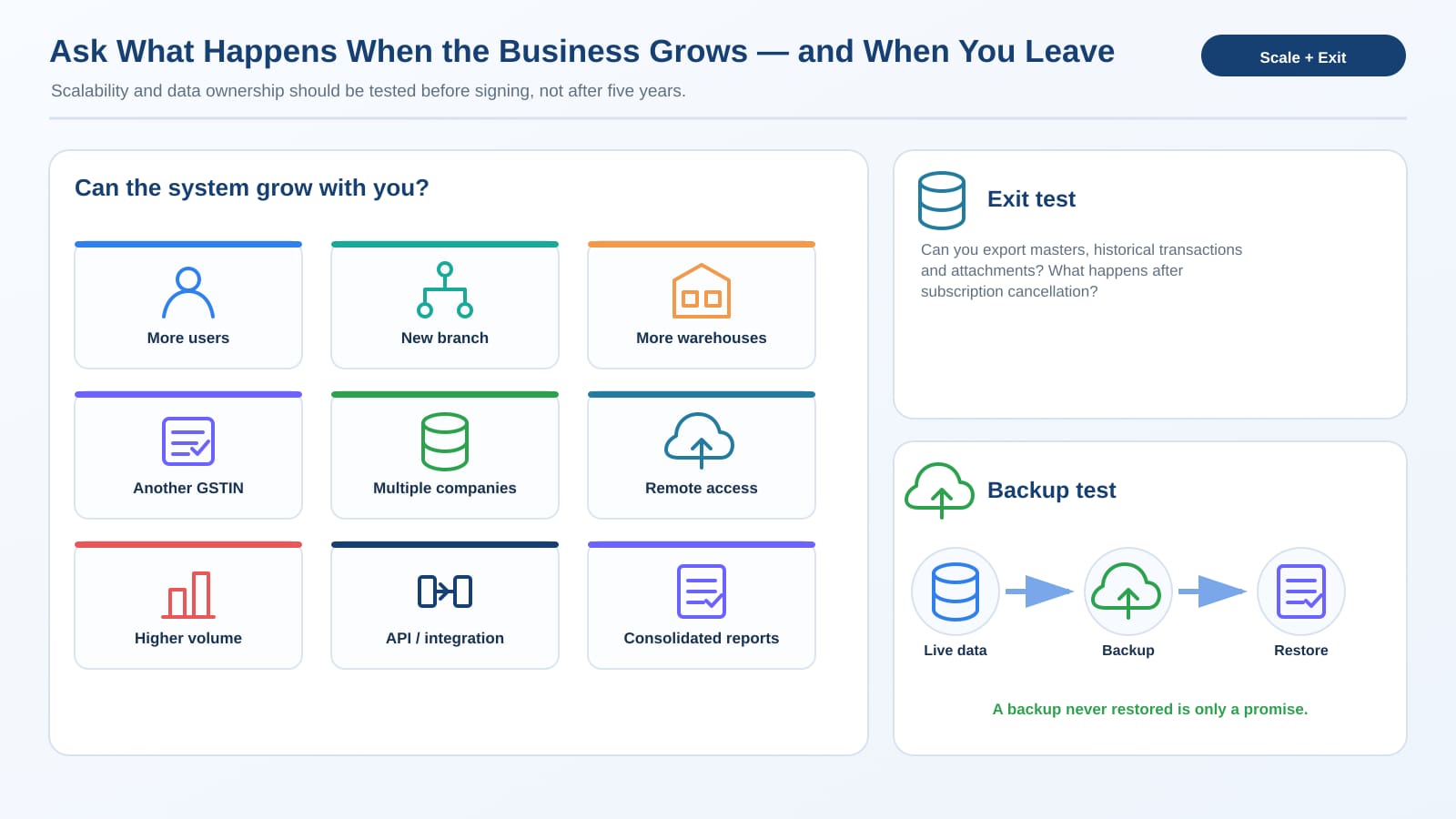
Software that's fine for one user can turn painful at twenty, so think two stages ahead and ask the awkward questions now. Can several people work in it at once, can you add another branch, another warehouse, another GSTIN, run multiple companies, handle a lot more transactions without slowing down, keep reports consolidated where you need them, work remotely, and connect another system through an API or a supported integration.
Products vary a lot here. Some lean hard into accounting, inventory, tax, and banking; others stretch into manufacturing, warehouses, projects, CRM, and workflows. Neither is automatically the better choice. It depends entirely on your business.
The exit question buyers ask too late
Ask this before you sign anything: if I leave your software after five years, how do I get my data out? You want to know the export formats, whether historical data and attachments come with you, how master data exports, how backup and restore actually work, the data-retention policy, and what access you keep after the subscription ends. Don't assume that because you typed the data in, getting it out will be easy.
And test the backup, don't just be told it exists. A backup nobody has ever restored is only a promise. For GST records kept electronically, the rules specifically require proper electronic backup so the data can be restored after loss or destruction, which is sound practice well beyond GST.
Don't price only the licence
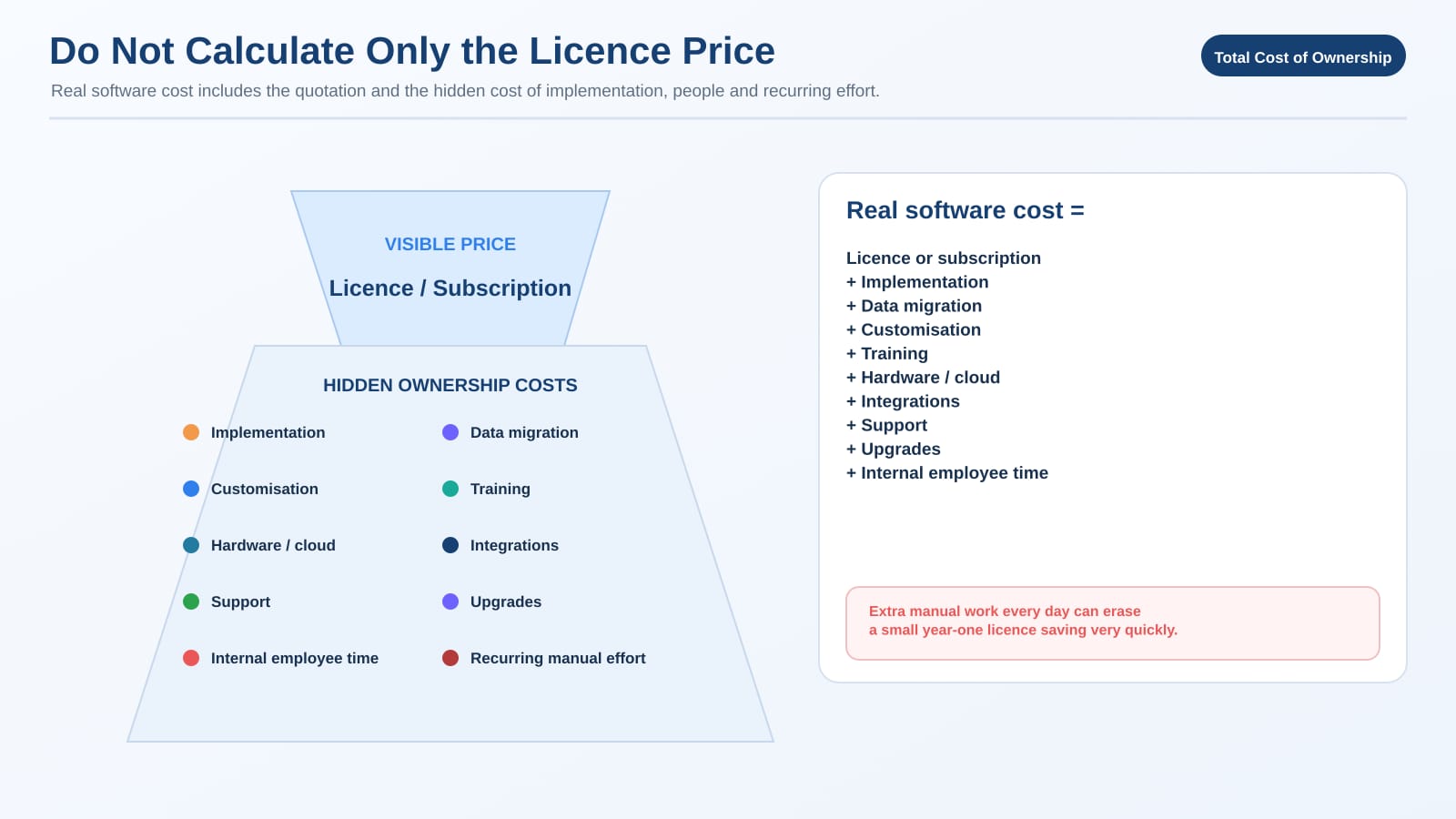
The cheapest quote can turn into the most expensive implementation. The real cost of software is the licence or subscription plus implementation, data migration, customisation, training, hardware or cloud, integrations, support, upgrades, and the one everyone forgets, your own team's time.
Here's the shape of it. Software A comes in ₹40,000 cheaper in year one, but the way it works, your team puts in an extra two hours of manual effort a day. Spread that across three people and the saving is gone well before the year is out. The ₹40,000 is just a number to make the point; the principle is the real thing. Price the recurring effort, not only the sticker.
Ease of use isn't a soft issue
The best workflow on paper is worthless if the staff quietly avoid it, so ask the people who'll actually use it. Hand them normal tasks and watch: can they create a customer, raise an invoice, find an old transaction, correct a mistake, check an outstanding balance, locate stock, export a report. Don't train them for three days first; the whole point is to see the natural learning curve. And have the owner test the reports too, because the software isn't only for the accountant. The books hold plenty the owner should be reading directly.
Run a real pilot before you commit
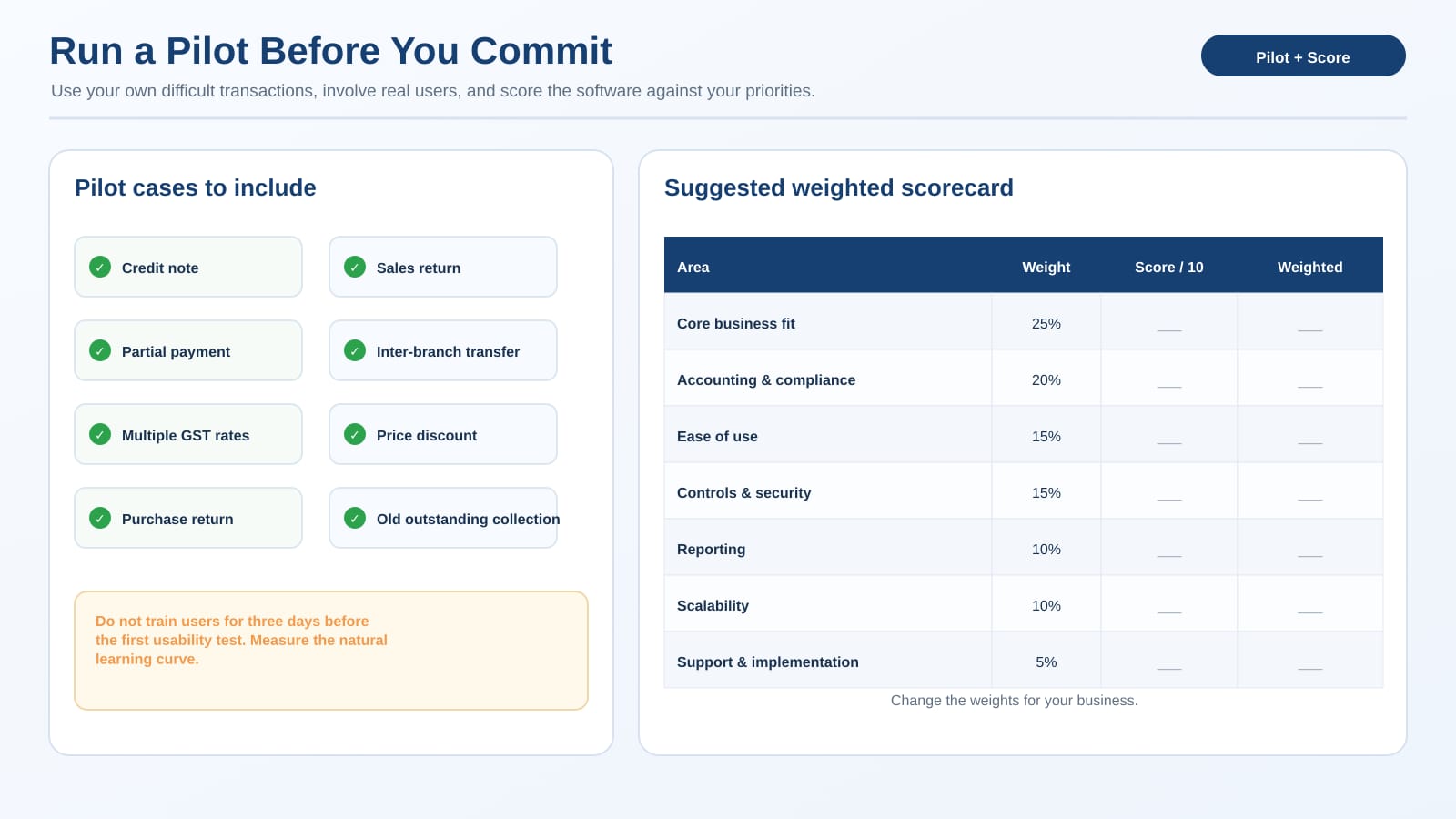
Never decide on important software from a polished demo alone. Run your own transactions through it, twenty or thirty ordinary cases plus the awkward ones: a credit note, a sales return, a partial payment, an inter-branch transfer, multiple GST rates, a price discount, a purchase return, an old outstanding finally getting collected. Bring the actual users in. Then score it against weights that reflect your priorities:
|
Area |
Suggested weight |
|
Core business fit |
25% |
|
Accounting and compliance |
20% |
|
Ease of use |
15% |
|
Controls and security |
15% |
|
Reporting |
10% |
|
Scalability |
10% |
|
Support and implementation |
5% |
Those weights are a starting frame, not a rule. A manufacturer would push operational fit higher; a professional-services firm would lift project reporting. The score should come out of your priorities, not anyone else's.
Don't buy AI before the basics work
AI is turning up in business software now, and it can genuinely help, with document capture, transaction suggestions, anomaly detection, smarter search, and the repetitive work. But it belongs after the foundation, not instead of it. If your customer masters are duplicated, AI won't fix the root of that. If stock items are badly named, automation just moves messy data around faster. If nobody owns approvals, no amount of AI creates accountability. Fix the masters, the processes, the roles, the controls, and the reporting first. Then automate.
Where this leaves you
Buying the wrong software creates a very human mess. People get frustrated, owners stop trusting the reports, and the accountant drifts back to Excel. The right system does the opposite: it makes ordinary work simpler while keeping the financial control tight.
So map your real workflows before you watch a single demo. Separate what you must have from what merely looks good. Test complete transactions on your own business cases. Check the compliance, the permissions, the audit trail, and the backups. Cost the whole thing, not just the licence. And confirm you can get your data out and restored before you ever need to. Good software more or less disappears into the way you already work; if your team is forever working around it, you bought the wrong one.







