










The problem & the direct solution
In my decades of managing the books for industrial units and high volume distributors, I’ve seen many businesses fold, not because they lacked sales, but because they lacked liquidity. In the Indian distribution market, your lifeblood is the "working capital cycle." If you can’t get money from your dealers fast enough to pay your suppliers, you’re in trouble.
I’ve often walked into offices where the accountant tells the owner, "Amit ji, Mumbai Traders owes us ₹10 Lakh." That’s a trap. What I want to know is: Which specific bills make up that ₹10 Lakh? Are they from last week, or are they 90-day-old "bad debts" hiding in an aggregate balance?
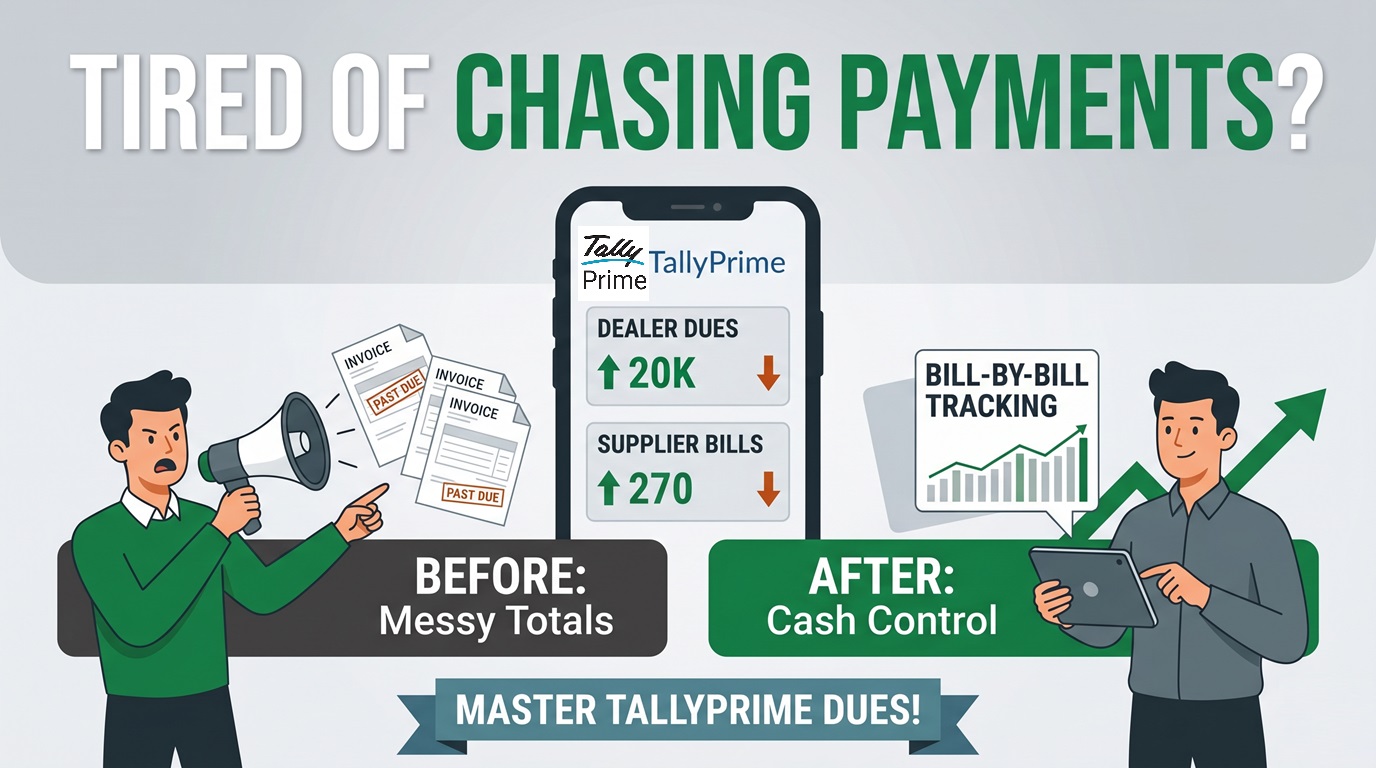
This is where TallyPrime’s Bill-wise feature acts as your digital scaffolding. It moves you away from messy totals and gives you a granular, bill level trail of accountability.
Why is tracking individual bills better than just looking at the total?
I always tell my clients: a ledger balance is like a bag of mixed groceries, but bill-wise details are like an itemized receipt. If you only see the total, you're flying blind.
By tracking at the bill level, you gain three critical strategic advantages:
- Clear Tracking of Overdue Payments: You can easily see exactly which bills are past due, allowing your team to have a clear and direct discussion with the dealer rather than a confusing one.
- Accurate Interest Calculations: TallyPrime calculates interest based on the exact number of days in the year (including 366 days for leap years) instead of using a flat rate, making your math perfectly accurate to the paisa.
- Safe Tax and Input Tax Credit (GST and ITC Security): For Indian distributors, matching your payments to the right invoices ensures that your records match the official GST portal and protects your Input Tax Credit (ITC).
How do I set this up in TallyPrime?
Setting this up is the first step toward financial discipline. Here is how I insist my clients do it:
- Enable at Company Level: Press F11 and immediately set Enable Bill-wise entry to Yes, it’s right there on the unified features list.
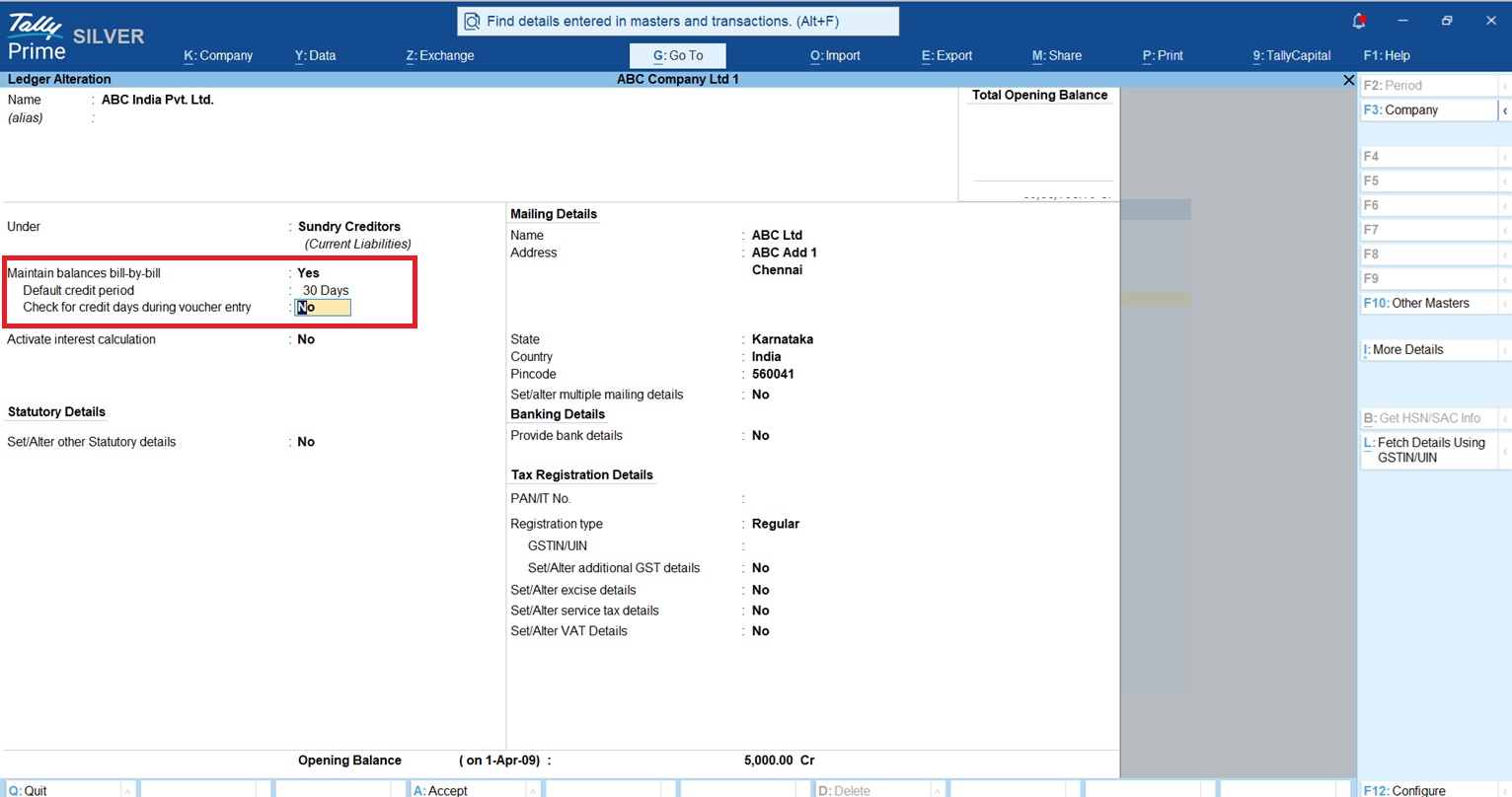
- Configure the Ledger: Go to Gateway of Tally > Alter > Ledger. Select your dealer or supplier and set Maintain balances bill-by-bill to Yes.
- Define the "Default Credit Period": This is the "grace period" (e.g., 30 or 45 days). This setting is the foundation for your aging reports and credit alerts.
What are the "Four Magic Reference Types"?
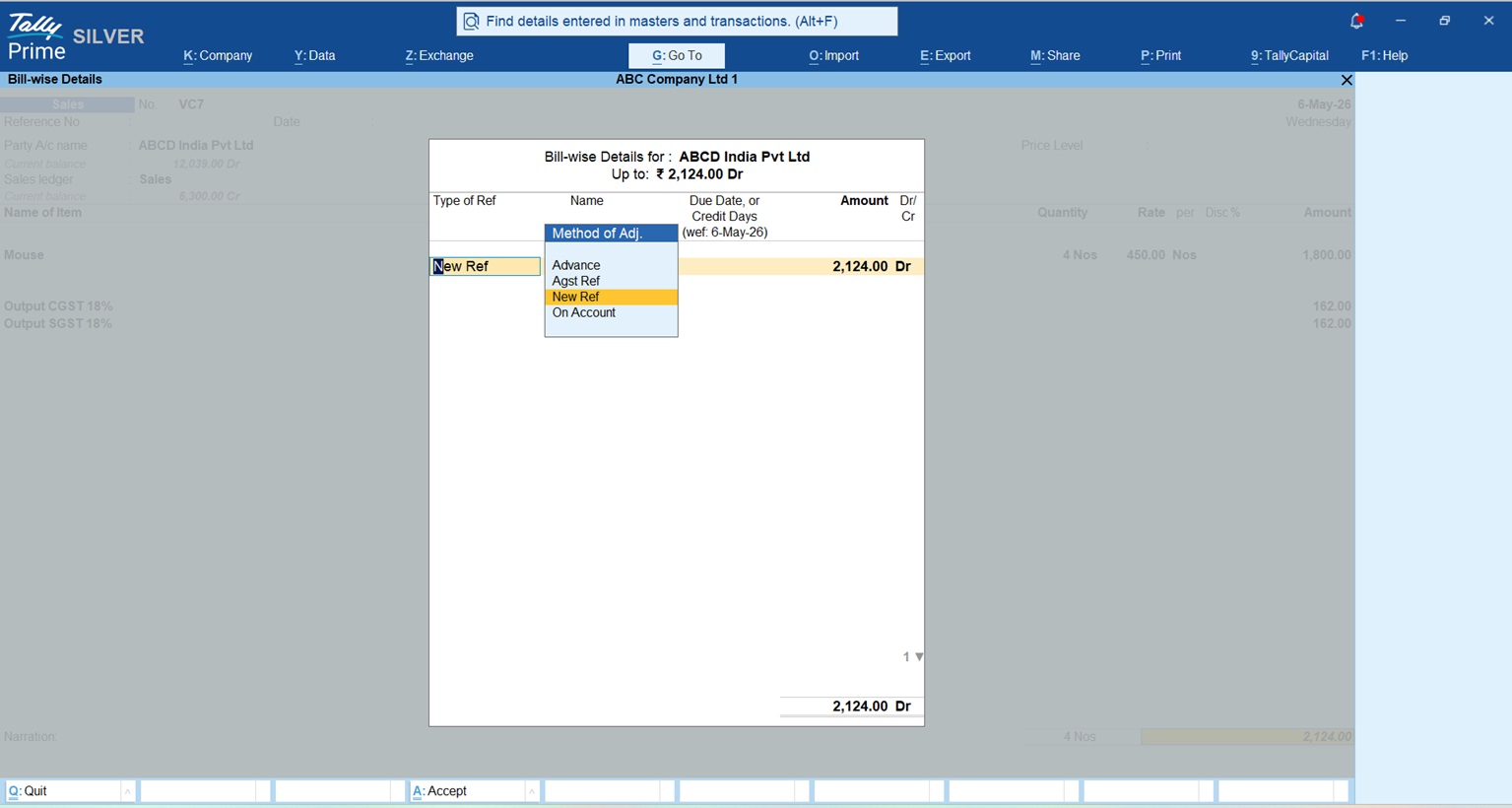
When you record a transaction, TallyPrime asks for a reference. Understanding these is the difference between a clean audit and a reconciliation nightmare.
|
Reference Type |
How it Works |
Secret |
|
New Ref |
Creates a fresh tracking ID for an invoice. |
Use this for every new credit sale or purchase. |
|
Against Ref |
Matches a payment to an existing "New Ref." |
Crucial: Always use this to close an old bill and clear the outstanding. |
|
Advance |
Records money received before an invoice is raised. |
Perfect for pre-orders or security deposits. |
|
On Account |
Records money without linking it to a bill. |
Warning: Lazy accountants use this to "hide their mess." Overuse leads to disaster during GST audits. |
Consultant's Secret: When recording purchases, don't just use Tally's auto-number. Manually type the Supplier’s Actual Invoice Number as the reference name. It makes reconciling your statements with vendors 100% easier.
How can I stop dealers from buying too much on credit?
I always tell my clients that a sale isn't a sale until the money is in the bank. That’s why I insist they use the Dual-Layer Credit Control:
- The Monetary Hard Stop: Set a Credit Limit (e.g., ₹5 Lakh). If a new order pushes the dealer over this ceiling, TallyPrime will show an error and block the sale. No more "I'll pay you tomorrow" excuses from the floor staff.
- The Time Ceiling: Even if the dealer hasn't hit their money limit, you can block sales if they have bills older than their allowed Credit Days.
The PDC Override: I know business isn't always black and white. If a dealer is over their limit but hands you a Post-Dated Cheque (PDC), Tally handles the math. By recording the PDC, the system treats it as a "risk-adjusted outstanding" reduction, allowing you to bypass the limit safely and keep the goods moving.
Aging analysis: Is my money stuck?
The Aging Analysis report tells you if your business is actually growing or just bloating with debt. In TallyPrime, you must distinguish between two methods:
- Aging by Bill Date (Working Capital Deployment Analysis): This is the "Auditor’s View." It shows exactly how long your capital has been out in the market from the day the invoice was raised.
- Aging by Due Date (Delinquency Management): This is for your collection team. It only starts the clock after the credit period expires.
Realizing payments faster: The WhatsApp & Bharat Connect workflow
We’ve moved past the era of physical letters. The TallyPrime with WhatsApp for Business integration has changed the game:
- Instant PDFs: Send invoices and payment links (UPI/Net Banking) directly from Tally to the dealer’s phone.
- Tally Bharat Connect: TallyPrime Bharat Connect is a revolutionary feature for real-time collaboration. It allows you and your suppliers/buyers to seamlessly exchange invoices and payments within the Tally ecosystem, reducing mismatches before they happen.
- Reminder Letters: For the tough cases, use Multi Account Printing to generate "Final Notices" for bills over 90 days. It filters the late bills automatically into a professional format.
Managing supplier payables: The three-way match & 43B(h)
Managing outflows is about more than just writing cheques. I insist on a Three Way Match (Purchase Order vs. Goods Receipt vs. Supplier Invoice) to ensure you aren't overpaying.
- The MSME Factor: You must watch Section 43B(h) of the Income Tax Act. If you have MSME-registered suppliers, you must pay them within 45 days (or as per agreement). TallyPrime lets you tag ledgers as Micro or Small, flagging upcoming dues so you avoid massive tax disallowances at year-end.
- The "Effective Date" Secret: If a supplier invoices you on the 1st but the outstation goods arrive on the 5th, enable "Use Effective Dates" in your Purchase Voucher configuration. This ensures Tally calculates interest and credit days from the day the stock actually hit your warehouse, not the paper date.
- Connected Banking: I use this to pay suppliers directly from Tally through integrated banks like SBI, ICICI, Kotak, and Axis. It fetches the e-statement and auto reconciles, saving my team 40 hours of manual work a month.
A detailed view of Manage Outstanding Payables in TallyPrime
The dashboard: My "Bird’s-Eye View"
I start every morning with the TallyPrime Dashboard. Data from over 350+ reports into one screen. Keep these three tiles on your home screen:
- Receivables/Payables Tile: Your immediate cash position.
- Cash In/Out Flow Tile: For planning upcoming supplier payments.
- Top Groups/Ledgers: To see which 20% of dealers owe you 80% of your money.
How to use Dashboard in TallyPrime
Real-world context: The Delhi distributor example
Look at Mr. Kunal, an FMCG distributor in West Delhi. He was managing 50,000+ items across multiple godowns. Laggy local systems were causing stock mismatches and delayed billing. Mr. Kunal switched to TallyPrime, which handled his massive volume without a hitch. By enforcing credit limits and using WhatsApp for instant billing, he fixed his dealer relationships and regained control of his working capital.
You can also watch this video to manage receivables and payables in TallyPrime.
Conclusion: Your "Clean Books" checklist
To keep your distribution business running like a well-oiled machine, adopt these 5 habits:
- Check Daily Cash Flow: Use the dashboard every single morning.
- No Manual Slips: Record every transaction immediately, no "temporary" notes.
- The "Agst Ref" Rule: Never use "On Account" unless it's a genuine emergency.
- Weekly MSME Review: Check for any payables approaching the 45-day limit.
- ITC Verification: Verify GSTR-2B reconciliation before releasing major supplier payments.
"In distribution, profit is just a number on paper; cash in the bank is the only reality."














