Enter the GSTIN to instantly fetch and validate
taxpayer details for accurate compliance.

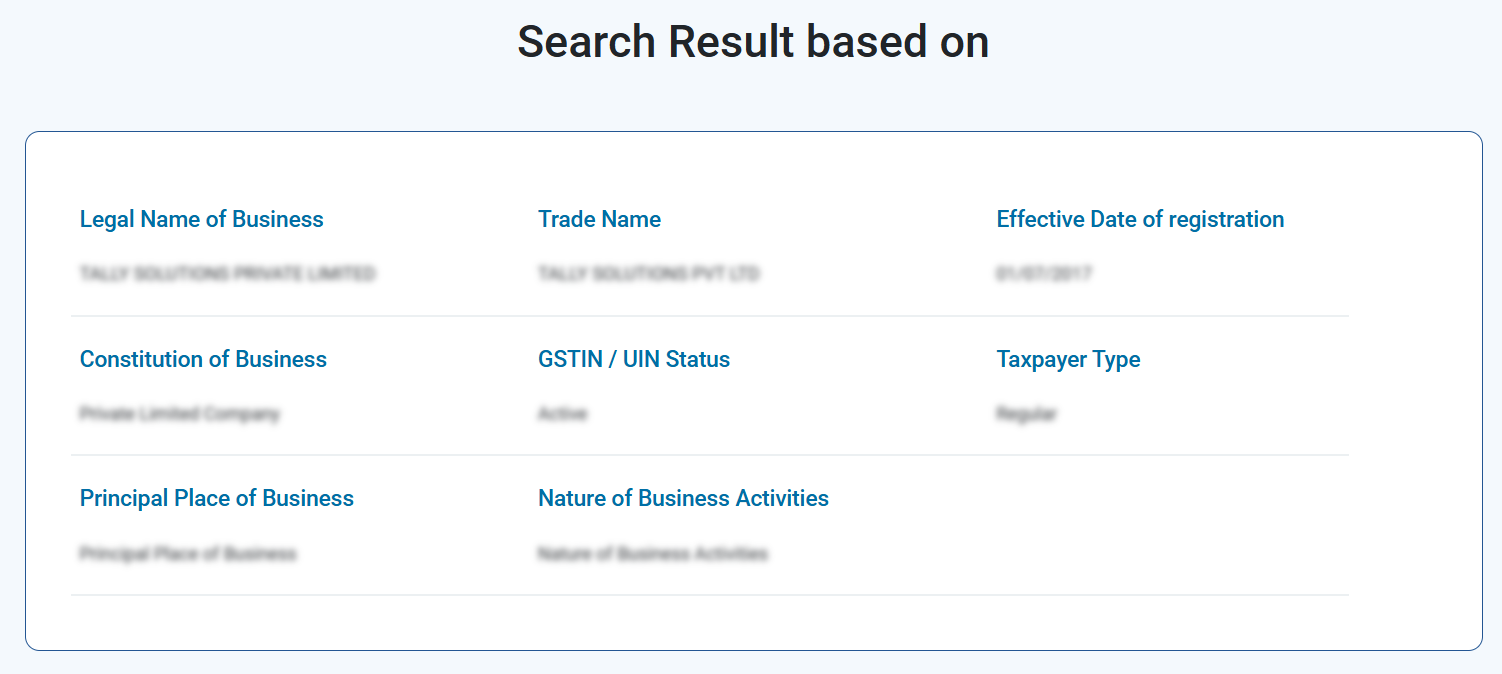
TALLY SOLUTIONS PRIVATE LIMITED
TALLY SOLUTIONS PVT LTD
01/07/2017
Private Limited Company
Active
Regular
Principal Place of Business
Nature of Business Activities

File confidently. Invoice accurately. Stay compliant — effortlessly.

Live Data from official GST portal The tool pulls information in real time directly from the government's GSTN database.

No Login Required You don't need to create an account or sign in anywhere. Simply enter a GSTIN and get results instantly completely free of cost.

Search by GSTIN or PAN Beyond just GSTIN lookup, you can also search using a PAN number to retrieve all GST registrations linked to that entity. Useful when you want a full compliance picture of a vendor or partner.
Zero Cost, Always This is a completely free tool. No premium tiers, no hidden charges, and no limit on the number of searches.
Mobile-Friendly Whether you're at your desk or on the go, the tool works seamlessly across all devices desktop, tablet, and mobile.
View complete business details in one click , get complete view of the business your dealing with and stop GSTINs easily.
Before verifying a GST number, it’s important to know its correct structure. A valid GSTIN is a 15-character alphanumeric code with the following format:
First 2 digits

Next 10 characters

13th digit

14th character

15th digit

You don't need an account, login, or any technical knowledge to verify a GST number using this tool. Here's how it works:
Enter the GSTIN, type or paste the 15-character GST Identification Number in the search bar at the top of this page.

Click "Generate Details" hit the search button.

Review the Results within seconds.
Make an Informed Decision Use the fetched details to confirm you're dealing with a legitimately registered business before raising or accepting an invoice.
Our GST Number search tool, you will get to know about following details of any business:
| Contact Method | Details |
|---|---|
| helpdesk@gst.gov.in | |
| Phone | +91 124 4688999 |
| Phone (Alternate) | +91 120 4888999 |
| Grievance Portal | selfservice.gstsystem.in |
If you claim ITC based on an invoice from a supplier with a cancelled or fake GSTIN, the tax department can deny your credit — even if you paid the GST in good faith.
Ghost vendors and shell companies often use fabricated GSTINs on invoices. A quick verification takes seconds; recovering from a fraudulent transaction takes months.
An invalid GSTIN in your GSTR-1 data will trigger mismatches in your counterparty's GSTR-2B, leading to notices and reconciliation headaches.
A business that was once GST-registered may have had its registration cancelled — voluntarily or by the department. Their old GSTIN may still look valid at a glance, but searching it will show "Cancelled" status.

Not all GSTIN results are equal. Even when a GSTIN returns a result, certain details in the search output can signal varying levels of risk. Here's how to interpret what you see:
Follow these simple steps if you've accepted invoices from a fake or fraudulent GSTIN:
If you come across a fake or suspicious GSTIN, you can immediately alert the GST authorities by:
Additionally, the GST portal provides a facility to identify and report fraudulent registrations linked to your PAN. Here’s how you can do it:
1
Visit the GST portal. Go to Search Taxpayer > Search by PAN.
2
Enter your PAN. The system will display all GST registrations mapped to it, along with state and registration status.
3
If you notice any GST registrations that do not belong to you, tick the check box under ‘Select to Report’ to mark them. (Note: Registrations that were not migrated properly from the old tax system cannot be reported here.)
4
A pop-up will appear with the legal name auto-filled. Provide the required details for validation.
5
Enter the OTP received on your registered mobile number and email ID for verification.
6
Complete Aadhaar-based e-KYC by giving consent for GSTN authentication. This ensures the report is filed against the fraudulent registration.
7
Enter the OTP received on your Aadhaar-linked mobile number to complete the second step of authentication.
 3/13
3/13
Once submitted, an Application Reference Number (ARN) will be generated for every GSTIN reported. You can track the progress of your complaint anytime using the Track ARN option on the GST portal (available pre-login).
Once a complaint is received, the GST department typically initiates a verification process. If the GSTIN is found to be fraudulent, the department can:

Suspend or cancel the registration immediately

Initiate a search and seizure operation at the business premises

Recover unpaid tax along with interest and penalties

Refer the case for prosecution under the GST Act, which can carry imprisonment of up to 5 years for cases involving tax evasion above ₹5 crore
No. Registering under GST and obtaining a GSTIN is completely free of cost.
Once your GST registration application is processed successfully, a 15-digit GSTIN is allotted through the GST system.
Yes. Every GST-registered business must mention its GSTIN on invoices and display the registration certificate at all places of business.
You can apply for GSTIN by submitting Form GST REG-01 with the required documents on the GST portal. After verification, GSTIN will be allocated.
GSTIN is essential for running a registered business. It must be displayed at business premises and is required for:
Yes. A separate GST registration is required for each state where your business operates. For example, if your company has operations in Karnataka and Maharashtra, you must obtain GSTIN for both states.
Yes. By entering the GSTIN in the search tool, you can see details like the trade name and legal name of the taxpayer.
A valid GSTIN follows a fixed structure:
Yes. You can search GSTIN details using a registered trade name or legal name.
Yes. By entering the PAN of a registered business, you can view the list of GSTINs associated with that PAN.
You can verify instantly by entering the GSTIN in the online search tool. The system will display the business details, registration status, and whether the GSTIN is active.
GSTINs are public information. Businesses must display them at their registered premises and on invoices or bills of supply.
Accurate GSTINs are crucial for:
Yes. You can check the address linked to a GSTIN by searching it on the GST portal under “Search Taxpayer > Search by GSTIN/UIN.”
Enter the GSTIN in the search finder. The system will display whether the GSTIN is active or inactive.
You will see a list of GSTINs associated with that PAN, along with their registration status. You can also view details such as business name, address, type of entity, and nature of business.
Simply enter the GSTIN or company name in the search tool. If the business is registered, its GST details will be displayed.
Simply enter the 15-digit GSTIN, click on “Generate Details,” and view the results instantly.
Yes, the Tally GST Number Search Tool is completely free and requires no sign-up.
The data is sourced directly from the official GST portal.



